Real estate photo enhancement for listings
Fix exposure, colour and clarity on a listing photo in seconds. The furniture, the walls and the view stay put — this is a Lightroom-grade finish, not a redesign. Traditional editors quote hours. This is 2 credits and three variants.
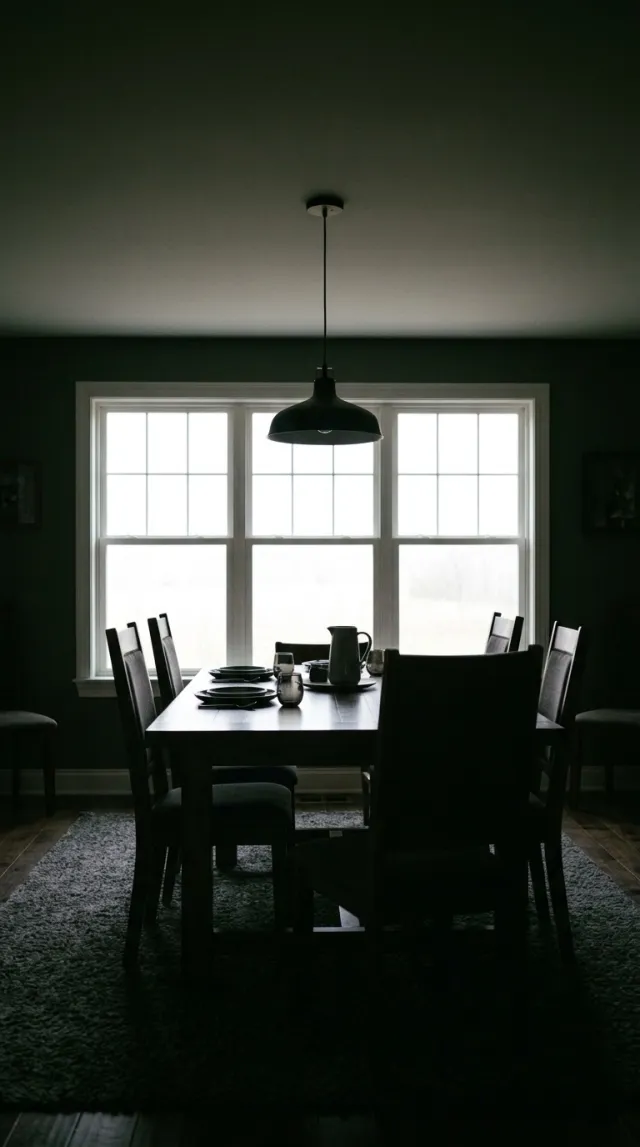
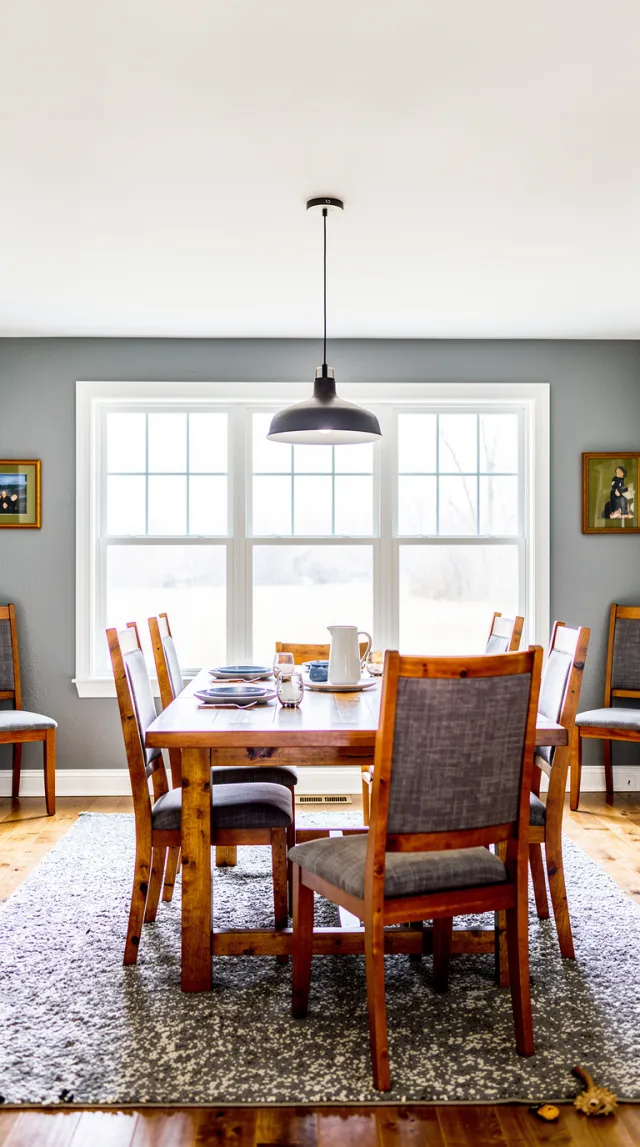 Phone shotEnhanced
A finished listing photo — not a filter, and not a restyle
Exposure and windows
Lift crushed shadows, recover blown windows, brighten the room. The view through the glass stays the view that was there.
Colour and white balance
True whites, natural colour, a light airy grade. Mixed tungsten and daylight get neutralized instead of left muddy.
Clarity without HDR halos
Crisp detail and noise reduction. No overcooked HDR, no fake sky, no “AI shine” on the walls.
The room, unchanged
Nothing is added, removed, moved or restaged. That is Declutter, Stage or Day to dusk. Enhance only changes light, colour and clarity.
Four taps. Three variants. Two credits.
- 01
Upload a listing photo
Phone shots are the point. Interiors and exteriors both work — anything you would put on the MLS.
- 02
Pick Enhance
Same photo tool as Stage and Declutter. No prompt to write — the mode is the instruction.
- 03
Generate three looks
Two credits return three variants. Pick the grade that matches the rest of the gallery.
- 04
Download for the listing
Use it as the cover or run it on every photo of the property. Then declutter, stage or relight if the shot still needs it.
Which photos work best
Works best
- Rushed phone shots: a dim room, mixed daylight and lamp light, a blown-out window.
- Interiors and exteriors alike, anything you would put on the listing.
- Run it first, so Declutter, Stage or Day to Dusk start from good light.
Avoid
- Crooked or tilted photos. Enhance keeps the framing, so straighten the shot first.
- Out-of-focus or shaken shots. It sharpens detail, but it cannot put a blurred photo back in focus.
Stays the same
Furniture, walls, the view and the framing stay exactly as shot. Only light, colour and clarity change.
Photo enhance FAQ
Related listing tools
Enhance is the grade. Clear the mess, furnish the empty room, or relight the cover after the photo is clean.
Run Enhance on every photo of the listing
Upload a phone shot. Get three magazine-grade variants in seconds — then declutter or relight if the photo still needs it.