AI interior design, from one photo of the room you already have

Upload a photo of any room and see it restyled in 60+ interior design styles. Not a mood board of someone else's house — your walls, your windows, your proportions, restyled.
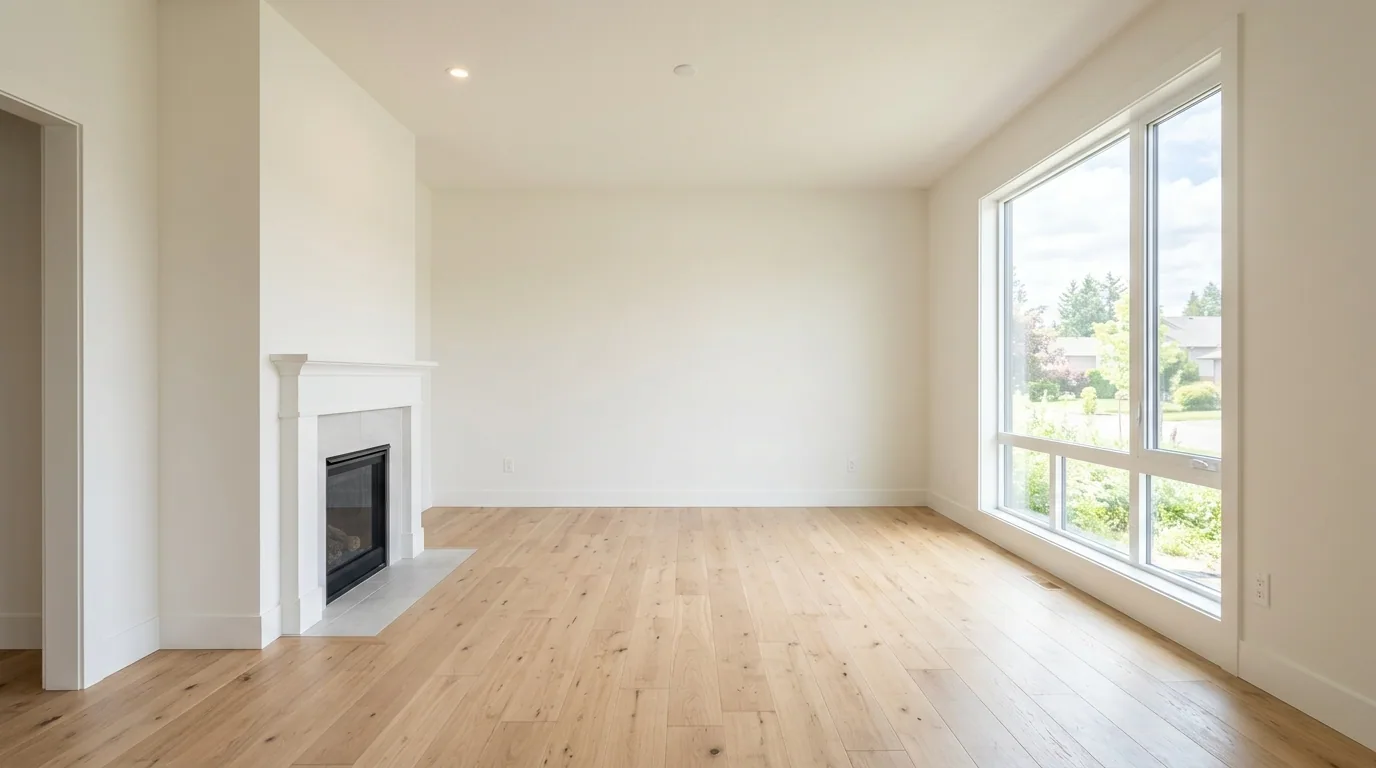
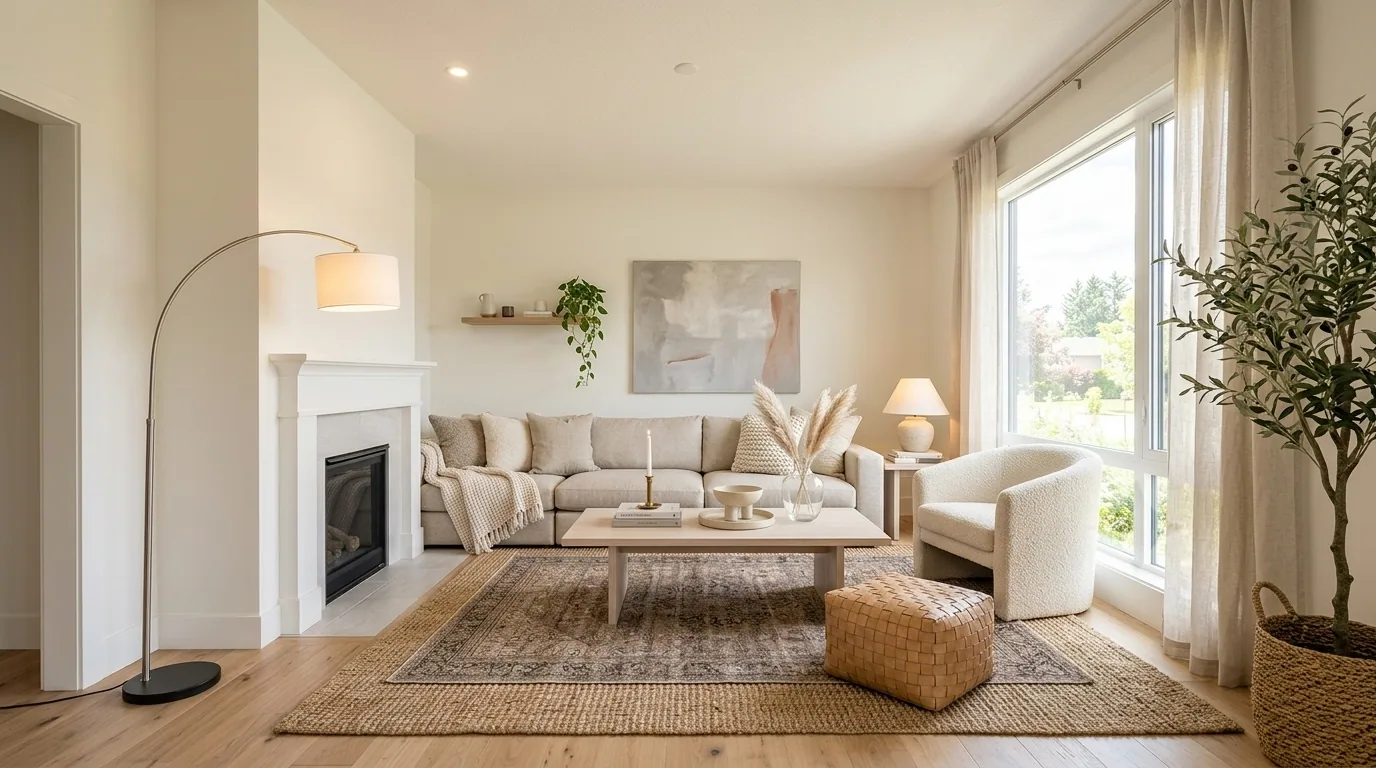
AI interior design, from one photo of the room you already have — beforeAI interior design, from one photo of the room you already have — afterBeforeAfter

60+ styles, one room

Every style is a full redesign — furniture, textiles, lighting and palette all change, while the room itself stays where it is.
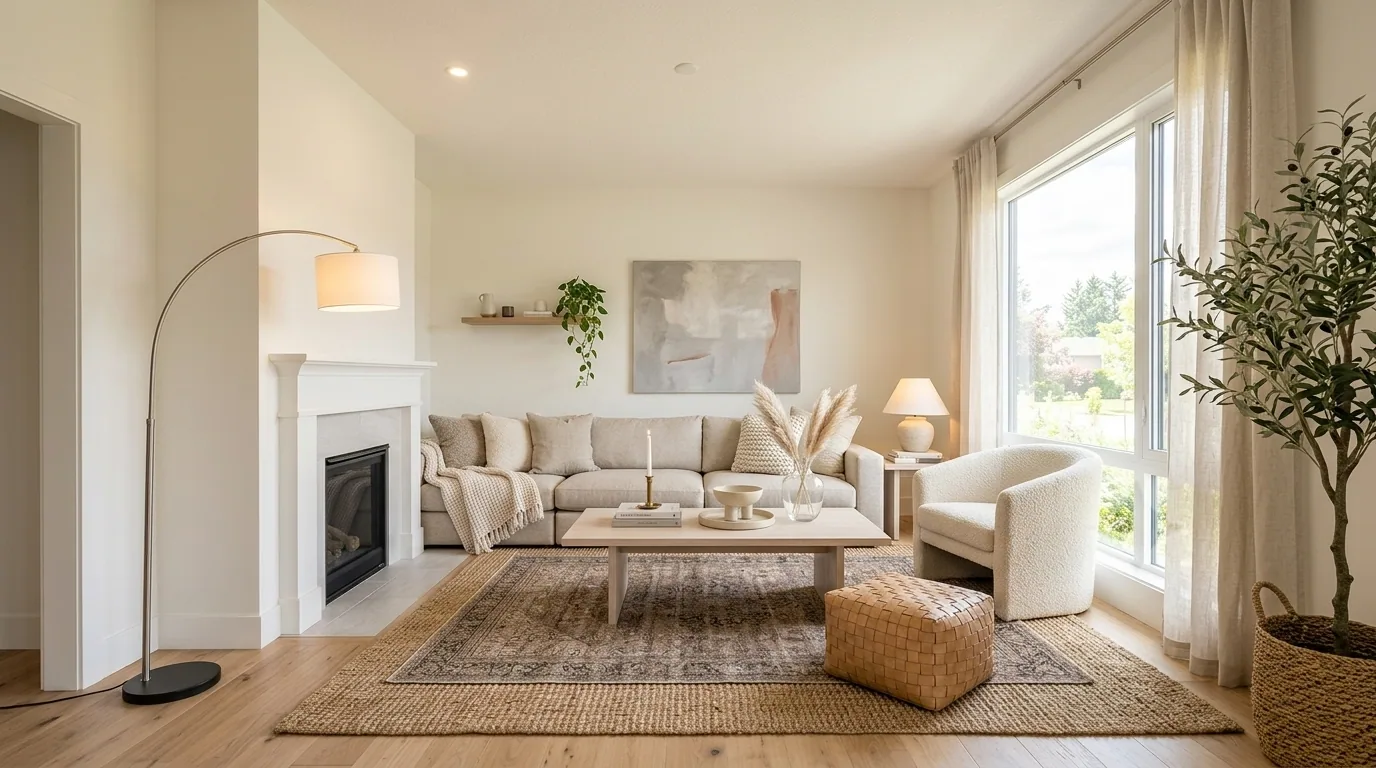
Scandinavian

Scandinavian

Pale wood, oatmeal linen, all the light you can get.
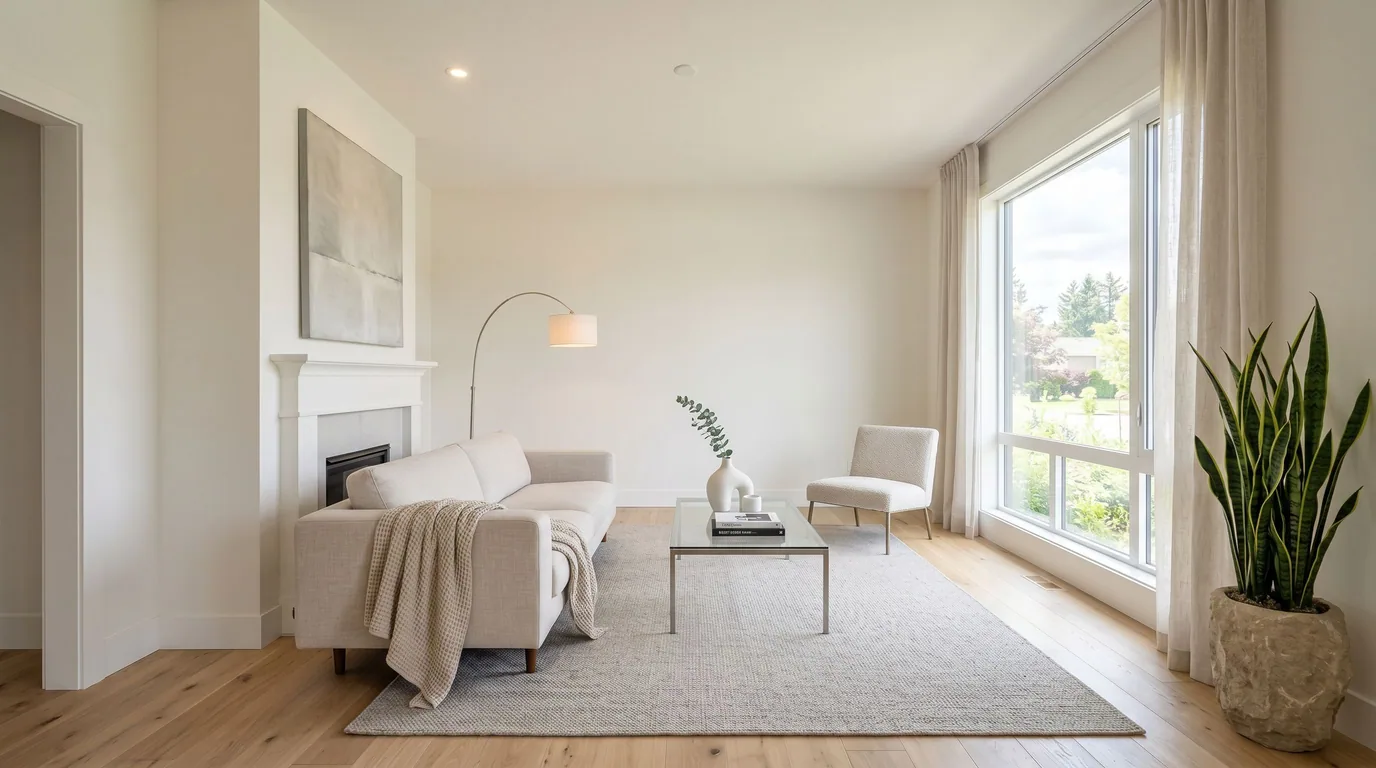
Modern minimal

Modern minimal

Low profile, restrained palette, nothing spare in the frame.
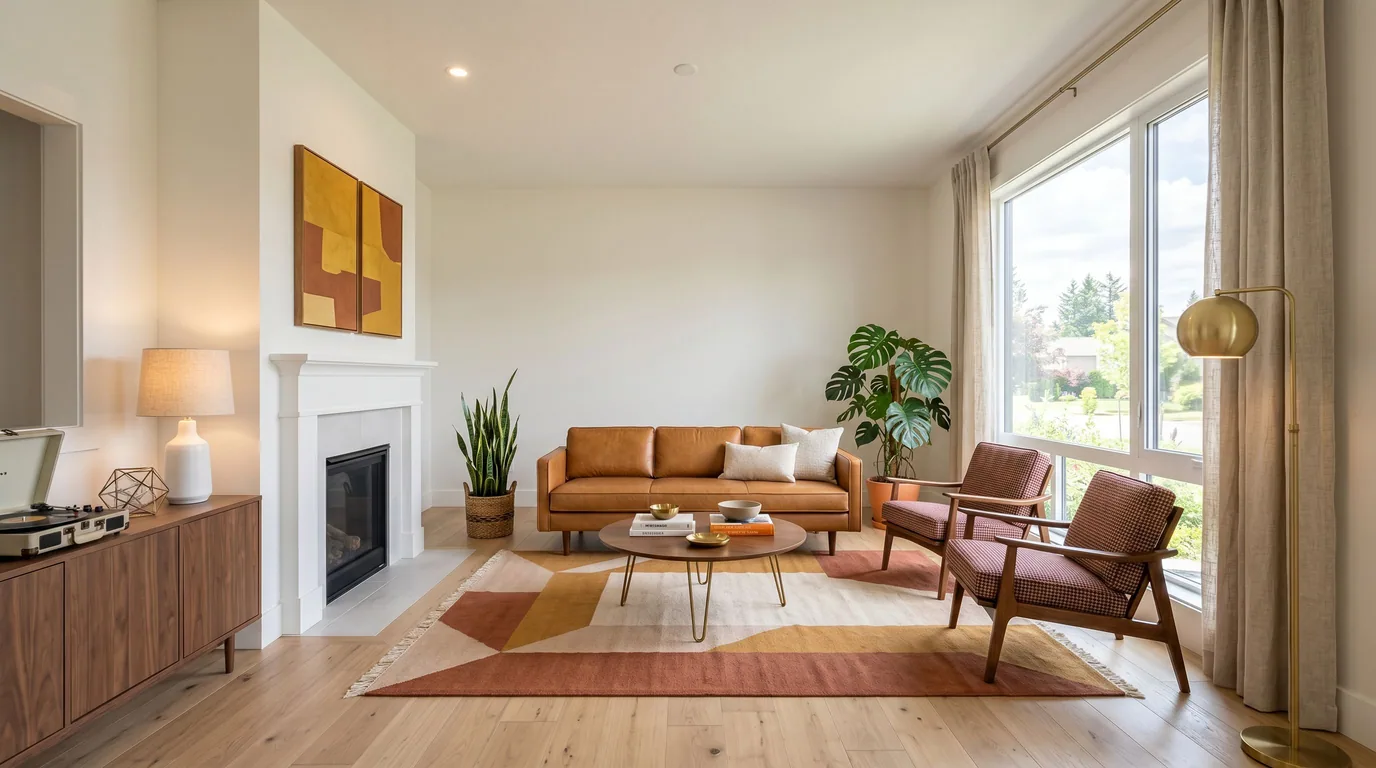
Mid-century modern

Mid-century modern

Walnut, tapered legs, a confident colour or two.
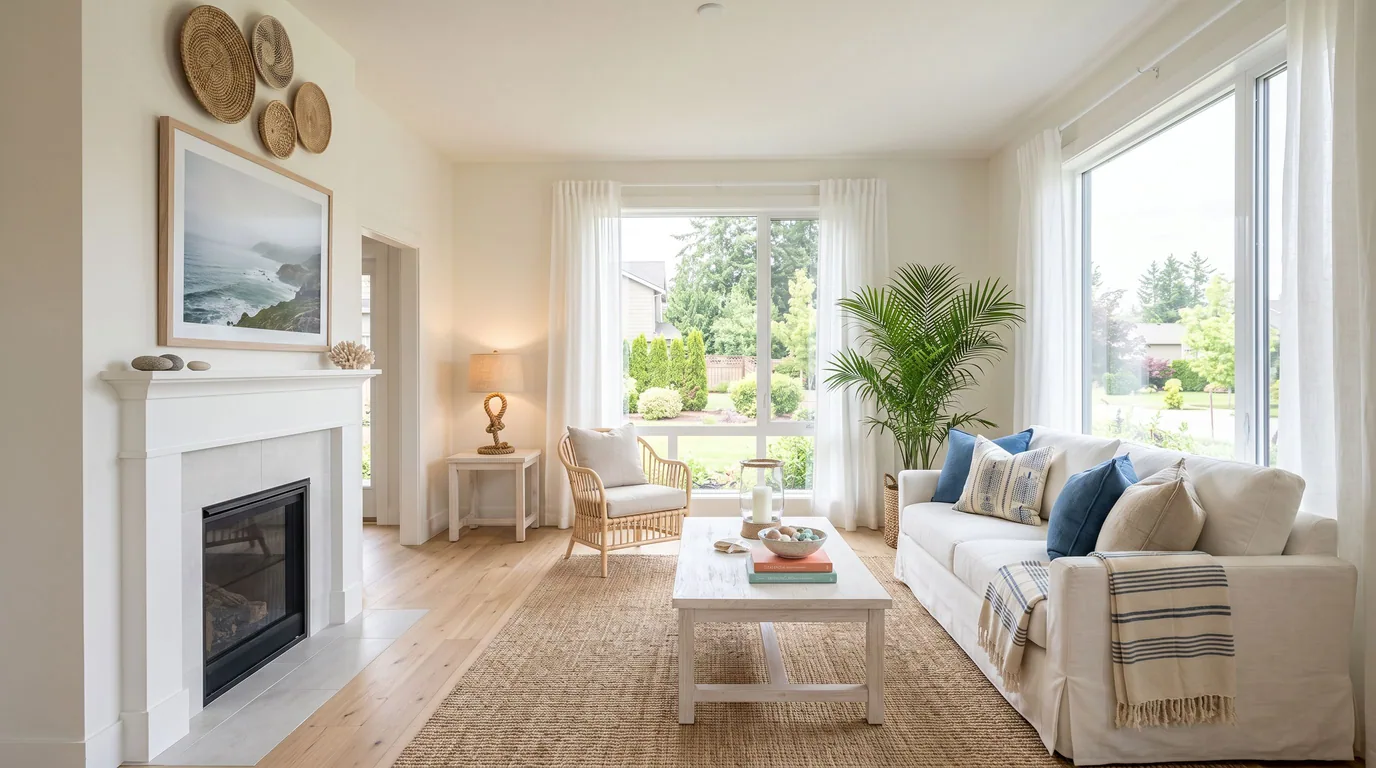
Coastal

Coastal

Whites and sea glass, breezy fabrics, sunlight off water.
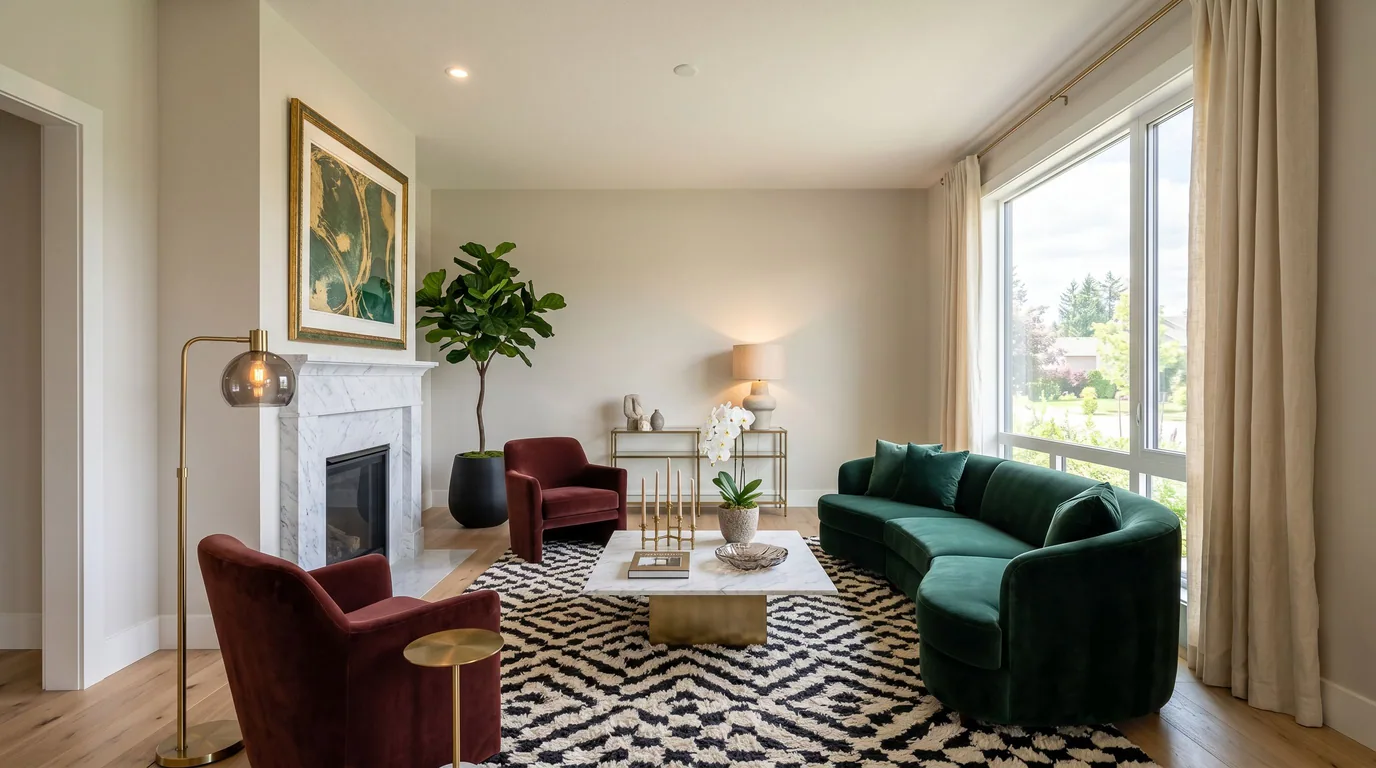
Modern luxury

Modern luxury

Deep tones, stone and brass, hotel-suite composure.
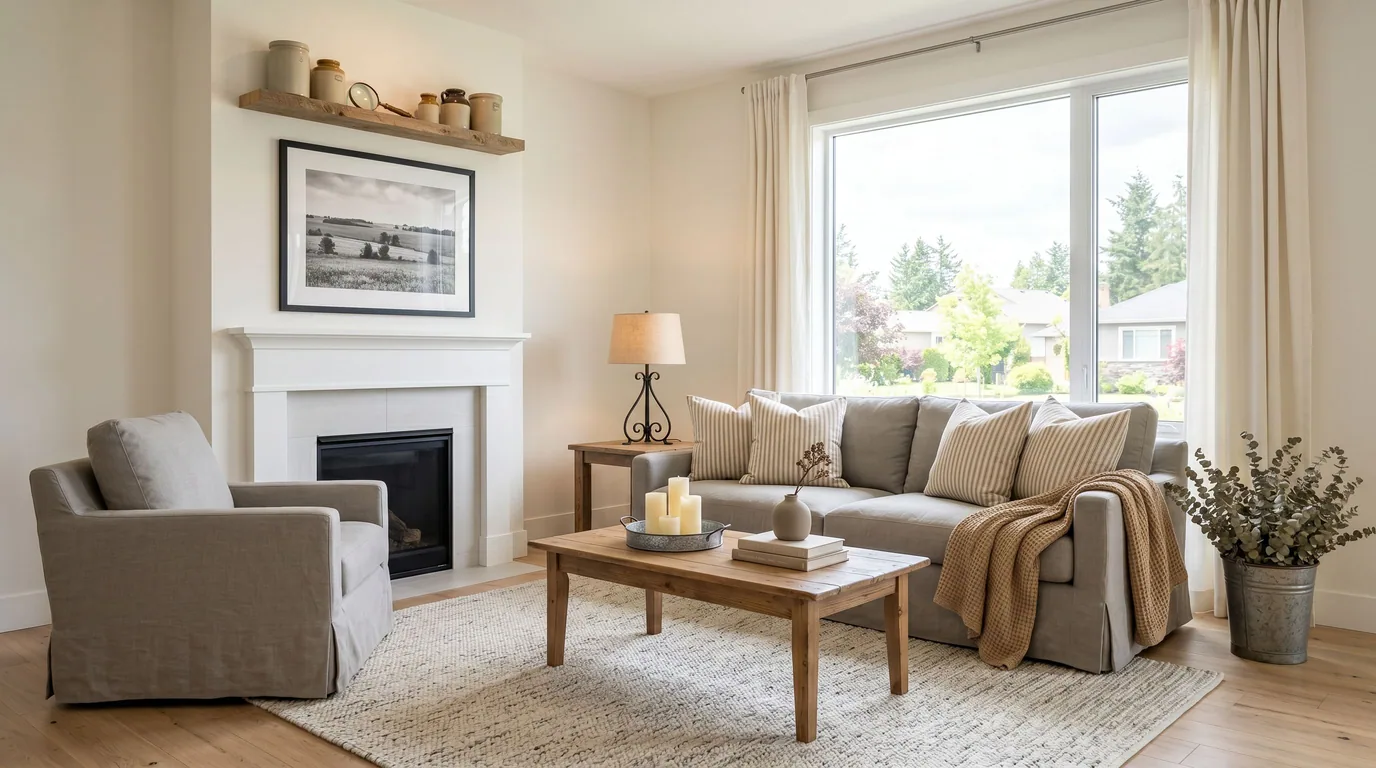
Farmhouse

Farmhouse

Shaker lines, warm neutrals, comfortable rather than precious.
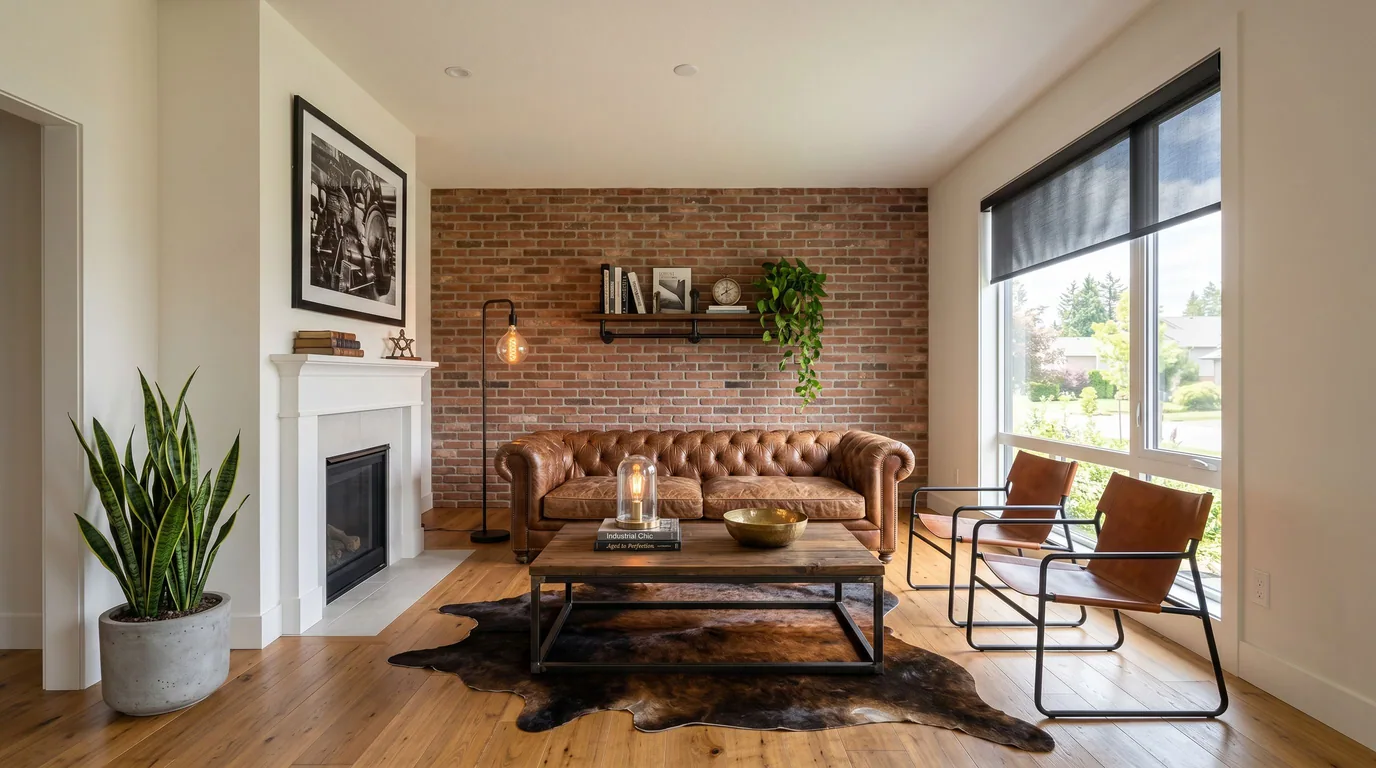
Industrial

Industrial

Brick, blackened metal, leather that has been sat in.
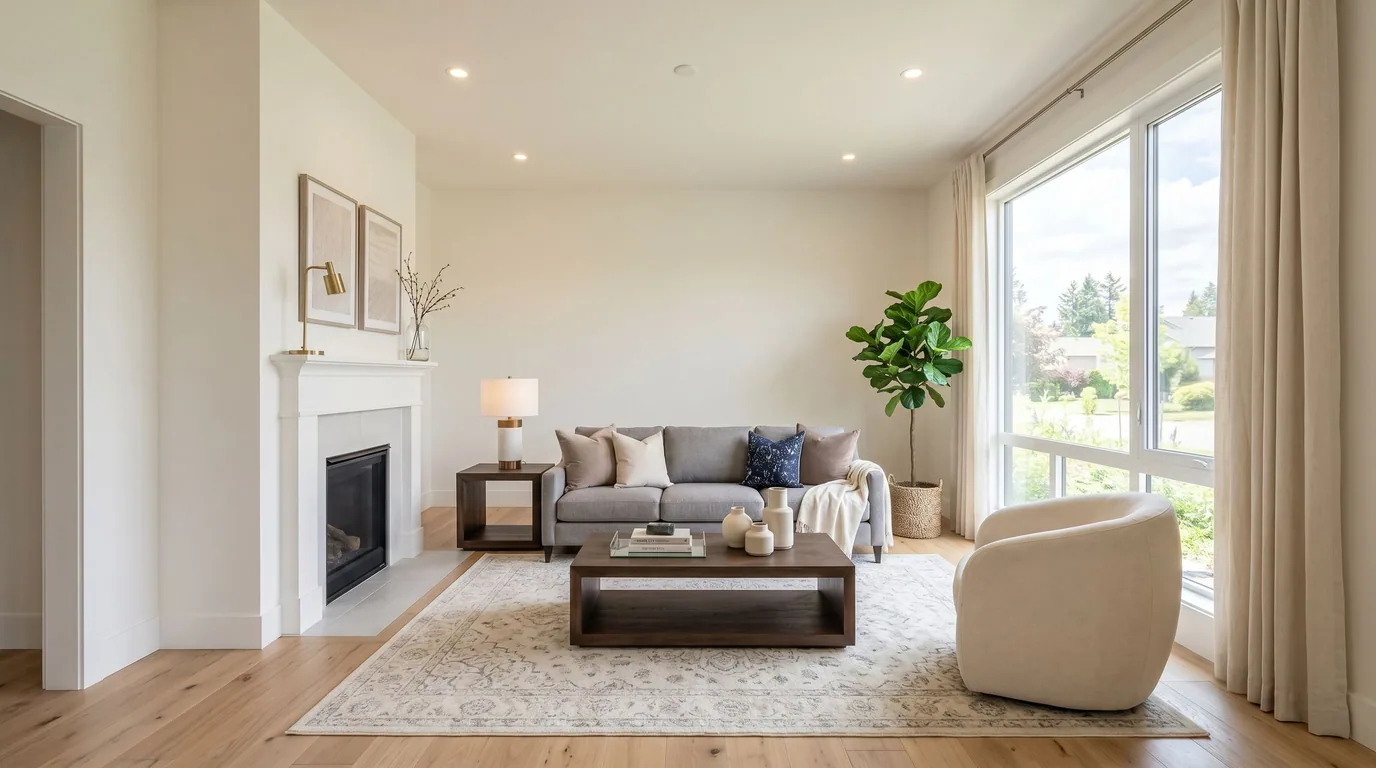
Transitional

Transitional

Classic shapes in a contemporary palette — the safe bet.

How it works

  1. 01

    Upload a photo

    Any room, any phone. Empty or fully furnished, daylight or lamplight — no special setup, no measuring, no 3D model to build.

  2. 02

    Pick a style

    Scandinavian, Japandi, Mid-Century, Coastal, Modern Farmhouse and 55 more. Or let Pixly choose one that suits the room.

  3. 03

    Get it back in seconds

    Typically 15 to 45 seconds. The untouched original comes back alongside the redesign, so you can show both.

It keeps the room

Most AI image tools invent a plausible room. Pixly is tuned for the opposite: the walls, windows, doorways and proportions of your photo survive the redesign, because a design you cannot actually build is just a picture.

Virtual staging for listings
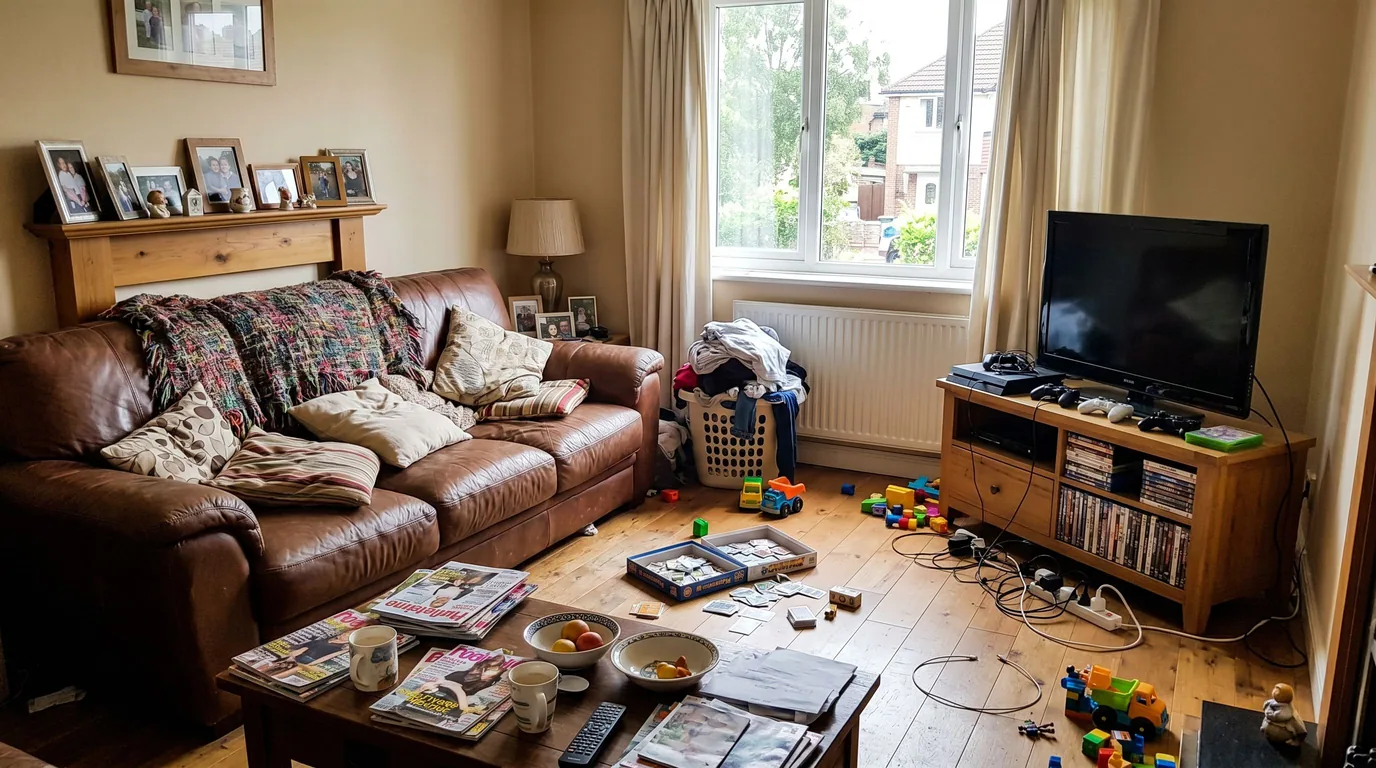
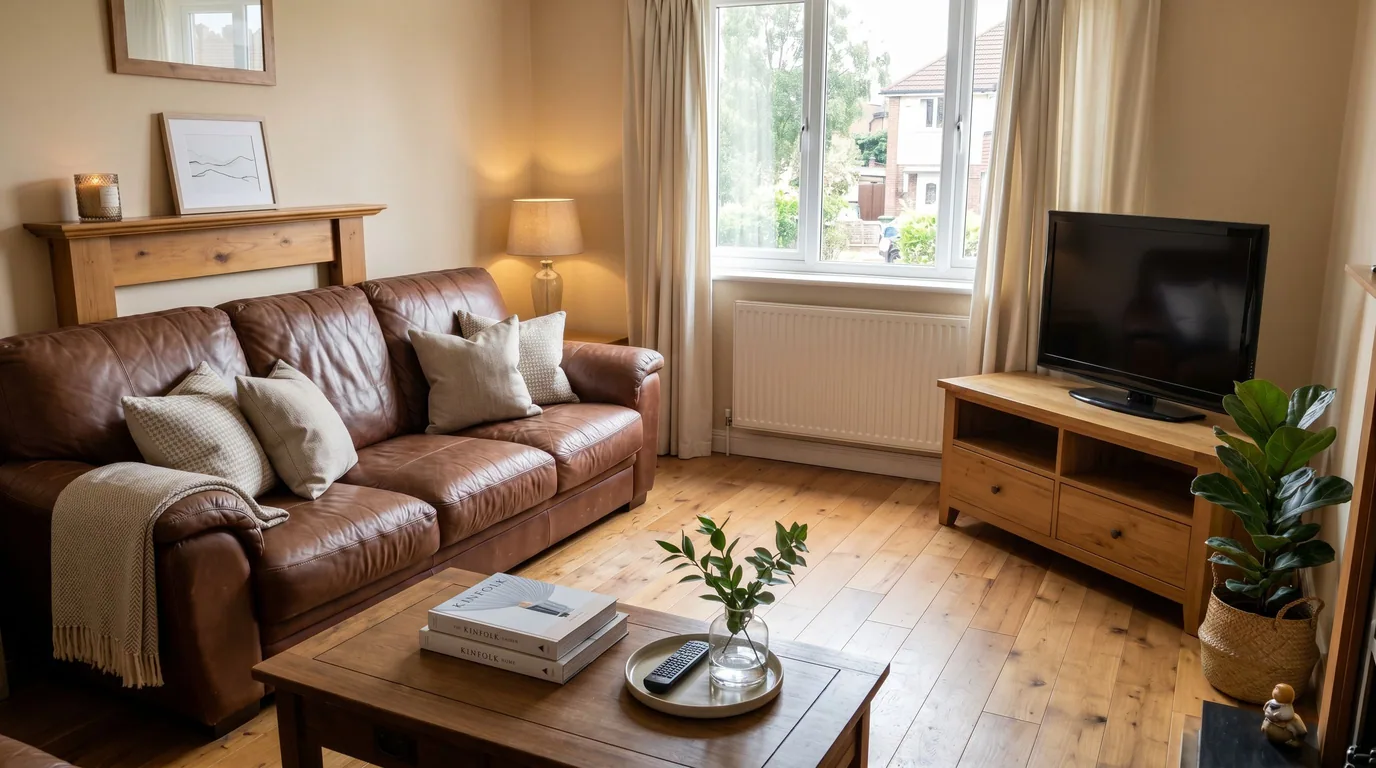
It keeps the room — beforeIt keeps the room — afterBeforeAfter

Design by room

Different rooms want different things from a style. These guides go deeper on each.

Beyond a single restyle: The same upload also drives decluttering, furniture removal, photo enhancement and day-to-night twilight — and, if you are selling, virtual staging and a vertical listing reel.

Questions about AI interior design

Is AI interior design free to try?

Yes. Create an account and you get starter credits with no card required. It is a free tier, not a time-limited trial — the credits sit there until you use them. Paid plans start at $5.99 per week, and most people use the $19.99 per month plan.

Does AI interior design keep my actual room?

That is the whole design goal. Walls, windows, doorways and proportions stay where they are; furniture, textiles, lighting and palette change. You get the untouched original back too, so you can compare honestly.

How many AI interior design styles are there?

More than 60, grouped from modern and minimalist through to traditional, coastal and maximalist. You can also describe what you want in your own words if none of them is quite right.

How long does one AI interior design take?

Usually 15 to 45 seconds per image. There is no queue to wait in and no human in the loop, so you can try several styles on the same room in a couple of minutes.

Can AI redesign a room that already has furniture?

Yes. You can restyle around what is there, clear the clutter but keep the furniture, or empty the room completely first and design from a blank space.

Do I need to install anything to use AI interior design?

No. It runs in any browser on desktop or phone, and there is a native iPhone app on the App Store if you would rather work from your camera roll.

Is AI interior design the same as virtual staging?

Same technology, different job — and Pixly does both from the same upload. Virtual staging furnishes a property you are selling, so the room has to read well to a buyer, and most listing portals expect the photo to be disclosed as digitally staged. AI interior design restyles a room you live in, so the only test is whether you would actually want it. Same photo, same 60+ styles, different reason for doing it.

Try it on a room in your own home

One photo, one style, about thirty seconds. The free tier is enough to see whether it holds up on your rooms.