3D worlds from a listing photo — walk the room (beta)
A still becomes a navigable 3D space buyers can look around in the browser, embed on a property page, or open with a QR code. This is beta. It is not Cinematic motion (a 2D camera-move clip), not a Matterport scan, and not a staged still.
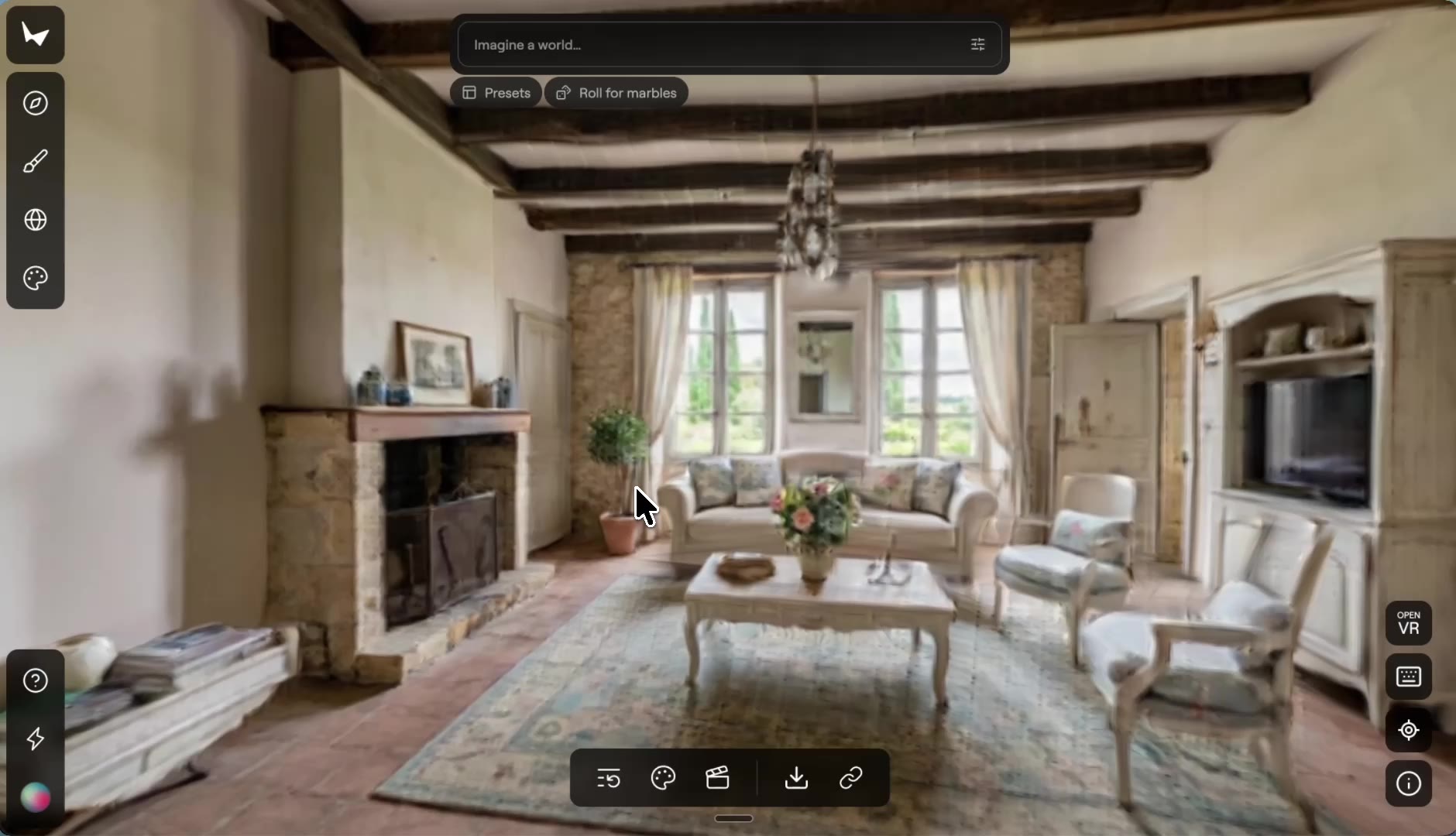
A space you can move through — not another reel
From one photo
A staged still, a room photo, or a short 360 clip. The model infers the space beyond the frame. You do not need a capture rig.
Share a link or a QR
Buyers walk it on their phone. Embed it on the listing page. That is the point versus a video they can only watch.
Not Cinematic motion
Cinematic motion is a 2D clip with a named camera move. A 3D world is a scene they steer. Different product, different plan, different URL.
Marked beta
Quality varies with the source photo. Draft and standard tiers. It is not a surveyed Matterport dollhouse. Disclose it as a visualisation.
Four taps. Then they walk in.
- 01
Start from a room photo
A staged Pixly still is the cleanest input. A phone photo of one room works too.
- 02
Pick 3D Worlds
On the 3D hub, not the photo tool and not the video hub. Choose draft or standard.
- 03
Generate the world
3D credits, any paid plan. Preview the space before you share it.
- 04
Embed or QR
A link for the listing page. A QR for the yard sign. The photo and the reel still live on their own URLs.
Which photos work best
Works best
- A room you already staged in Pixly. It gives the cleanest result.
- Wide room photos from a corner or doorway, showing as much of the space as possible.
- Bright, sharp photos, or a short, slow 360 clip of the room.
Avoid
- Close-ups and narrow crops, which leave too little to build a space around.
- Dark or blurry photos. The world can only be as clear as the source.
Stays the same
The room in your photo is the starting point. What lies beyond the frame is inferred, so treat the world as a visualisation.
3D Worlds FAQ
Related listing tools
The world is the walkthrough. The still, the camera move and the grade sit next to it.
Let them walk the listing
Upload a room photo. Get a navigable 3D world — beta, on any paid plan, beside the stills and reels you already make.