A walkthrough video from your room photos
Add the rooms in the order you'd walk them. Between every two photos the camera flies through the doorway into the next room, and the clips join into one continuous move through the home — not a slideshow with cuts.
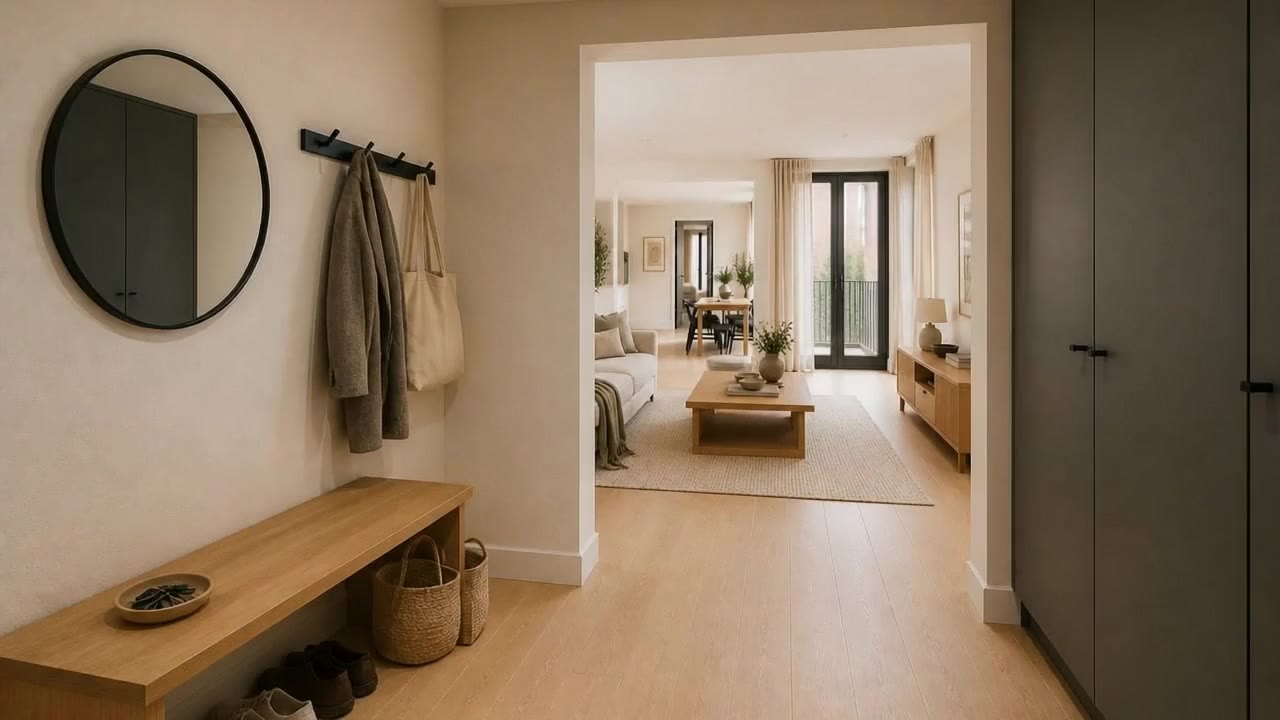
One continuous camera move, built room by room
A move for every doorway
Each pair of neighbouring rooms becomes its own short clip. The camera starts on one photo and lands exactly on the next, so the joins disappear.
Redo any clip
Not happy with one move? Generate it again and pick the take you like. The rest of the tour stays as it is.
Dead ends handled
A bathroom or a closet off the hallway? Add the way back out: the same clip played backwards, with nothing extra to generate.
Stitched free, with your own videos
The clips join into one film at no cost, and you can cut to any video from your Library — an exterior, a drone shot, a Cinematic motion clip.
From room photos to one walkthrough video in four steps
- 01
Add your rooms in walking order
Start at the front door. Each photo should show the doorway into the next room — that is what the camera flies through.
- 02
Generate the clip between each two rooms
One click per transition. Every clip is saved in the project, so you can come back to it later.
- 03
Pick your takes
Flip through the takes of each transition and keep the best one. Add a way back out of any dead-end room.
- 04
Stitch and download
The clips join into one MP4 with a gentle speed ramp between rooms. The film is saved to your Library too.
Which photos work best
Works best
- Wide shots taken from a doorway, with the opening to the next room in frame.
- Photos in the order you would walk the home, starting at the entrance.
- All photos in the same orientation — landscape, or portrait for Reels.
Avoid
- Close-ups of a corner, where the next room is not visible.
- Two rooms that are not connected — the camera has no way through.
Stays the same
Each clip starts on one of your photos and lands on the next. Walls, furniture and views stay as photographed.
Walkthrough video FAQ
Related video tools
A walkthrough video is the path through the home. These are the single shot and the transformation.
Take buyers through the home in one shot
Add your room photos in walking order and let the camera fly from room to room.