Declutter listing photos without emptying the room
Clear mess, moving boxes and personal items from a listing photo. The sofa, the bed, the kitchen island stay. Buyers see the space, not the stuff. This is not Remove Furniture — that tool leaves an empty room.
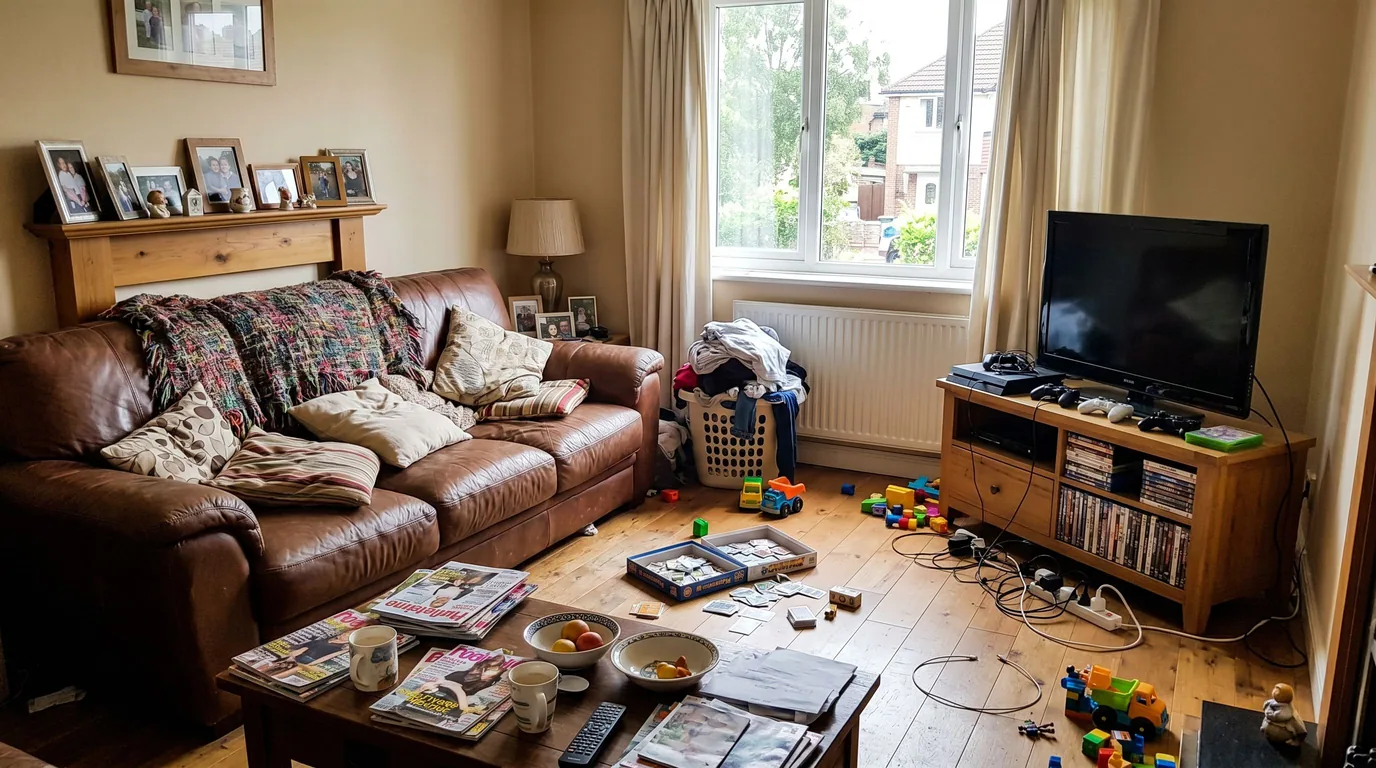
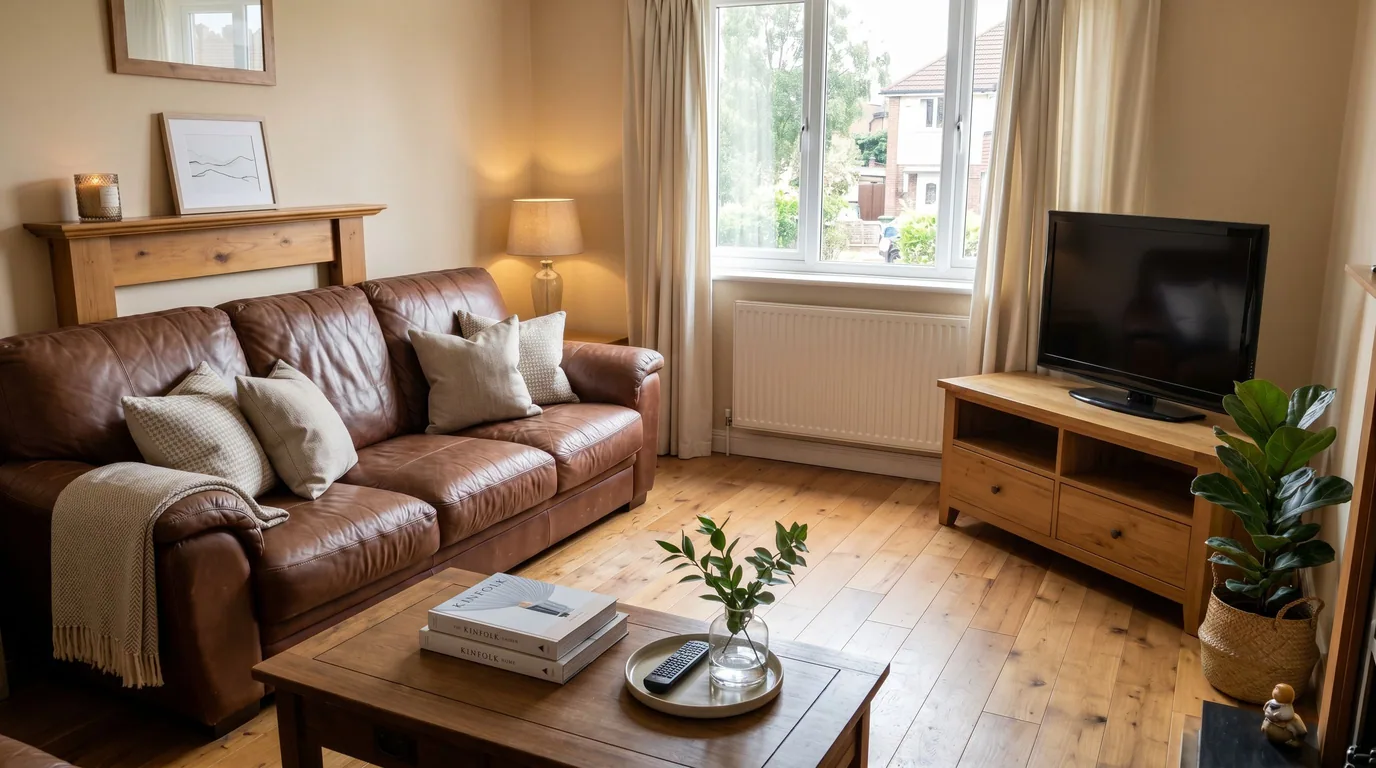 Lived-inListing-ready
A tidy occupied home — not a vacant box
Personal items gone
Family photos, cables, laundry, toys, mail, fridge magnets. The room stops looking like someone still lives in the shot.
Surfaces cleared
Worktops, nightstands, coffee tables. A vase or a book can stay; the clutter does not.
Furniture stays put
Sofas, beds, tables, cabinets remain. We rebuild the floor and walls only where an object left a hole — not the whole room.
Not an empty-room tool
If every movable piece should go, that is Remove Furniture. Declutter is the occupied listing that still needs to look lived-in, just not messy.
Four taps. One credit.
- 01
Upload an occupied photo
Furnished rooms work best. The more the clutter reads as “stuff on surfaces,” the cleaner the after.
- 02
Pick Declutter
Same photo tool as Stage and Enhance. No prompt to write — the mode is the instruction.
- 03
Generate
One credit, a few seconds. Check that the furniture you wanted kept is still there.
- 04
Then enhance or restage
Grade the clean shot with Enhance, or run Remove Furniture first if you actually need a blank canvas to Stage.
Which photos work best
Works best
- Occupied rooms where the mess sits on surfaces: worktops, tables, shelves, the floor.
- Rooms whose furniture you want to keep in the listing: the sofa, the bed, the dining table.
- Kitchens, home offices and children's rooms, where personal items pile up.
Avoid
- Rooms you want completely empty. That is Remove Furniture.
- Photos where clutter hides most of the floor or walls, leaving little to rebuild from.
Stays the same
Sofas, beds, tables and cabinets stay, and so do the walls, windows and camera angle.
Decluttered, still furnished
Drag each slider. The architecture and the furniture stay — only the mess leaves.
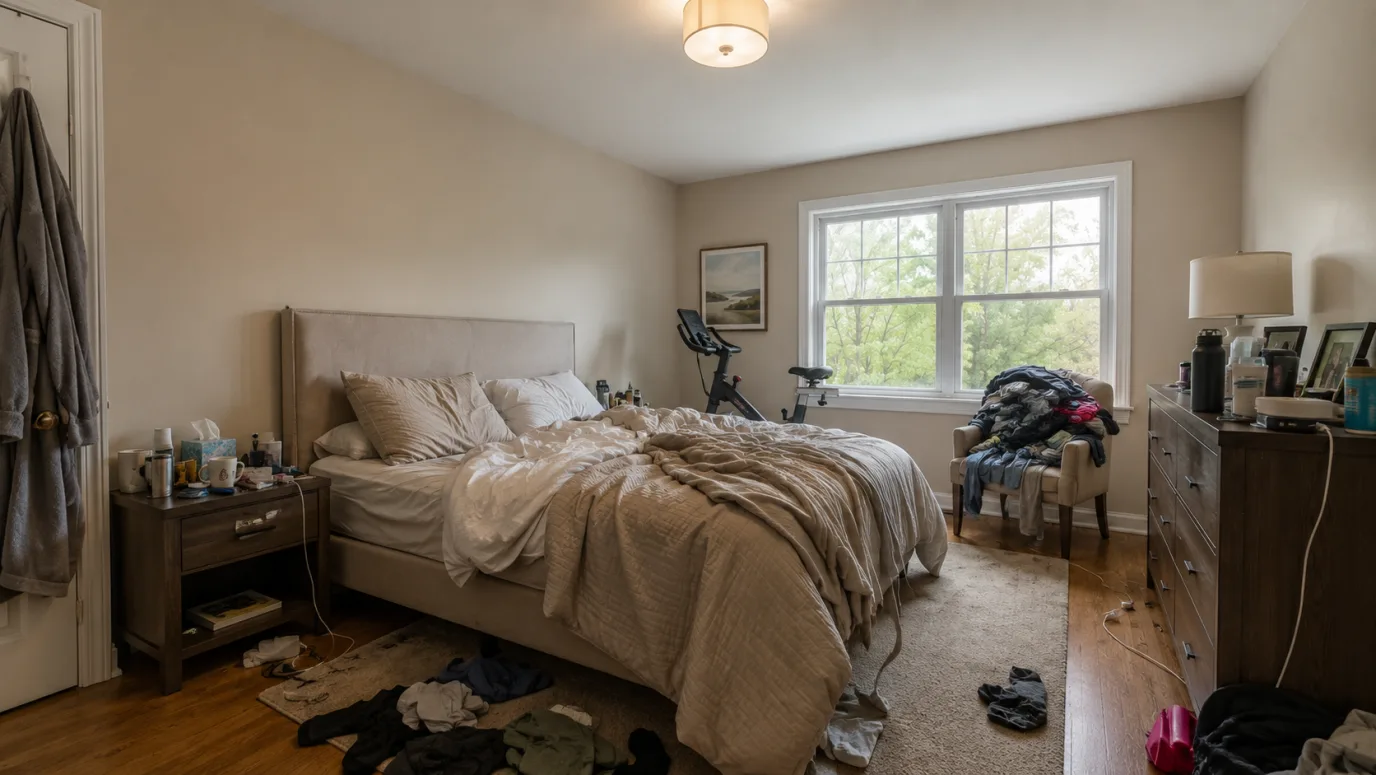
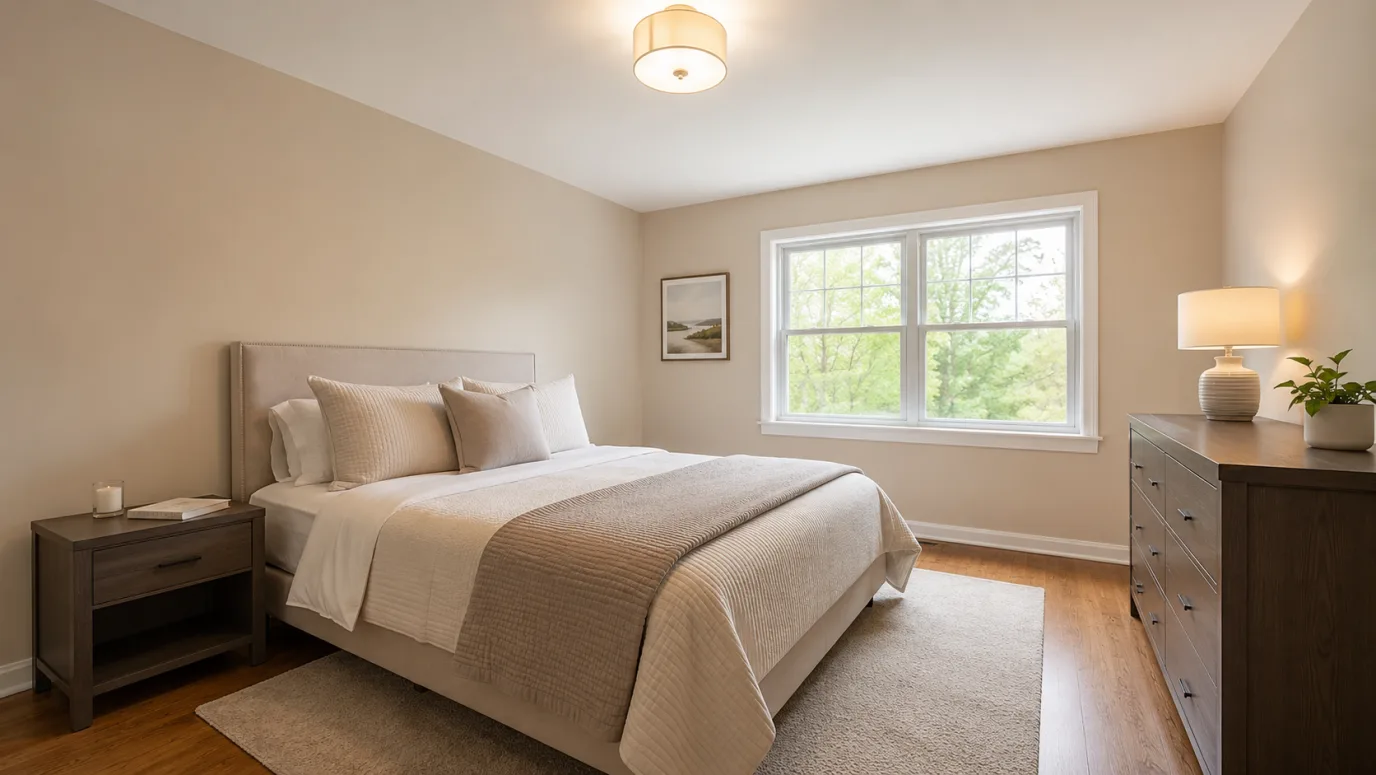 Lived-inListing-ready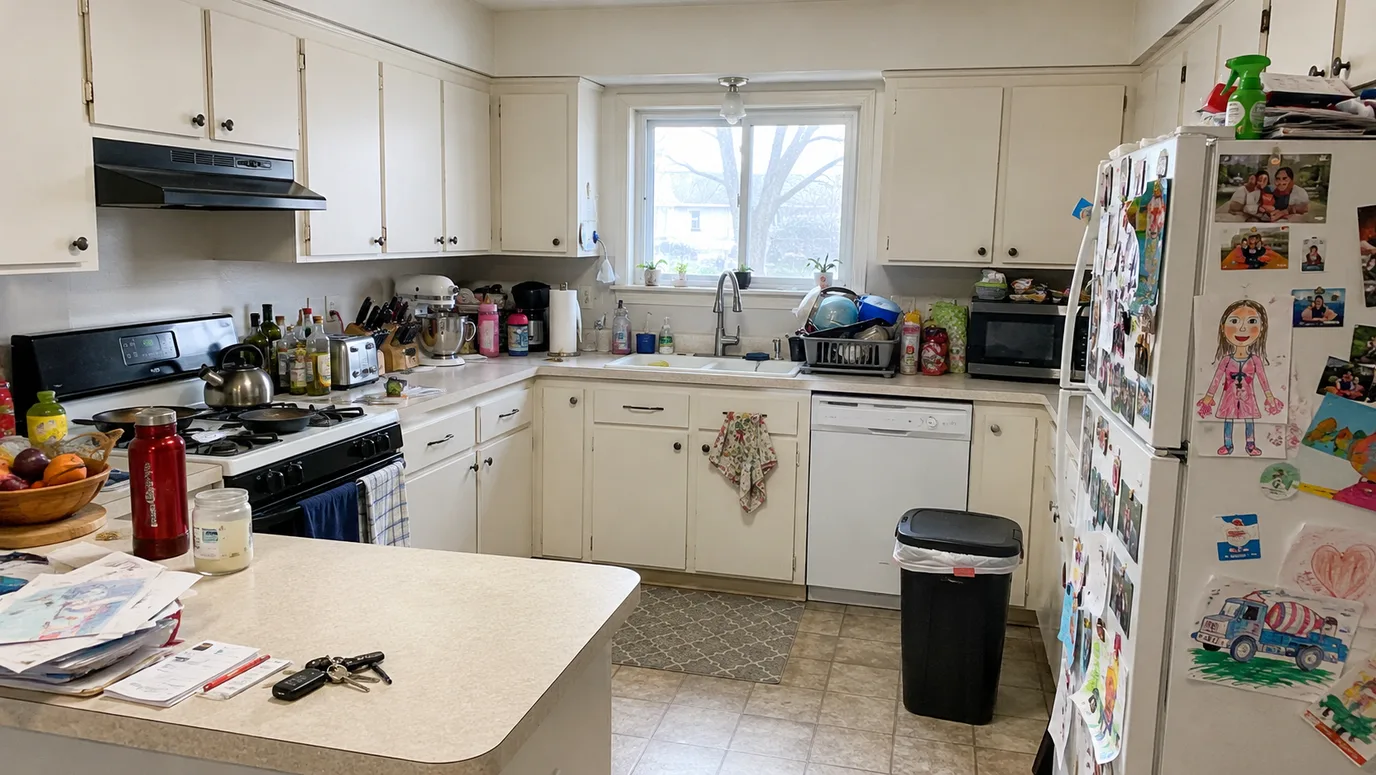
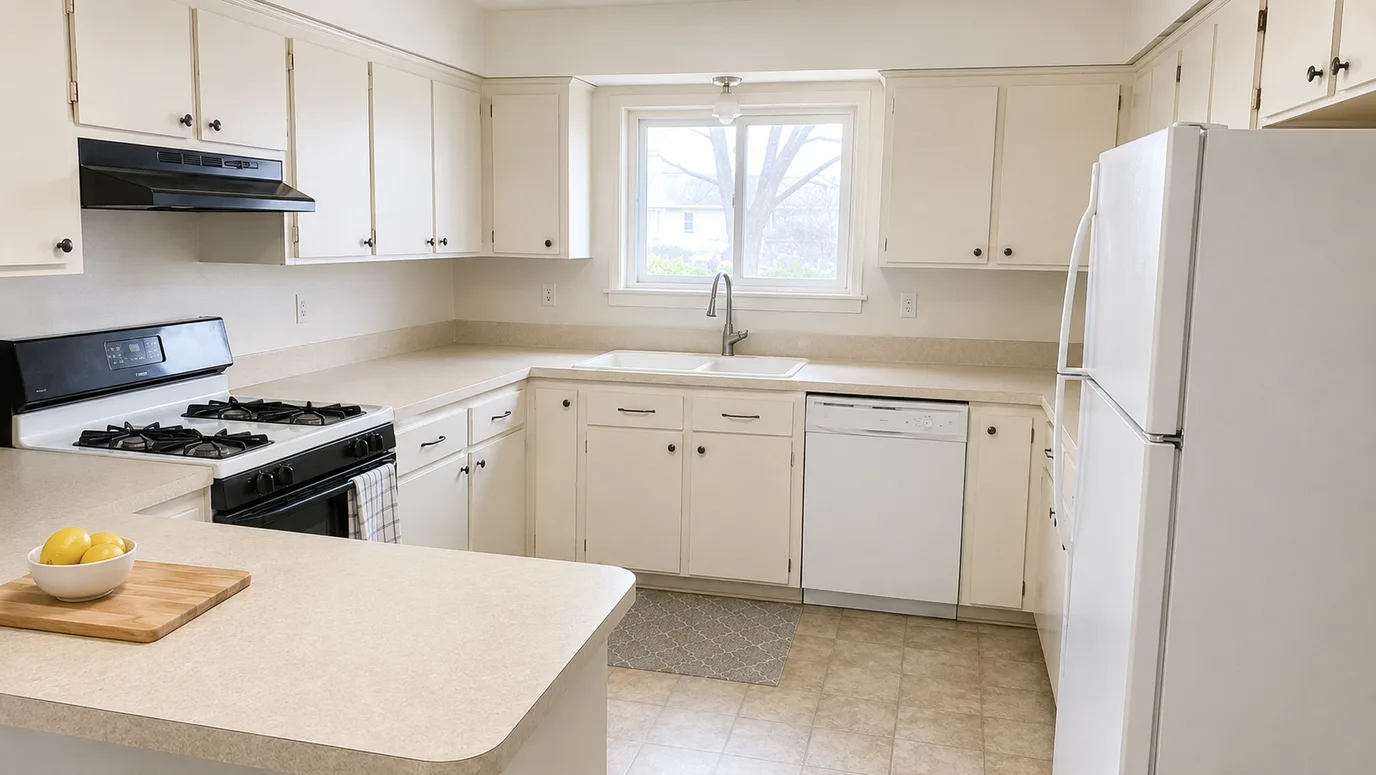 Lived-inListing-ready
Declutter FAQ
Related listing tools
Declutter is the tidy occupied shot. Empty the room, grade the light, or furnish a blank canvas next.
Show the space, not the stuff
Upload an occupied listing photo. Get a tidy still in seconds — furniture still there, mess gone.