Exterior touch-up for real estate photos
Sky, lawn, driveway and clutter fixed in one pass, each only where the photo needs it. The house, the fences and the plants stay exactly as shot. Switch any fix off. 1 credit.
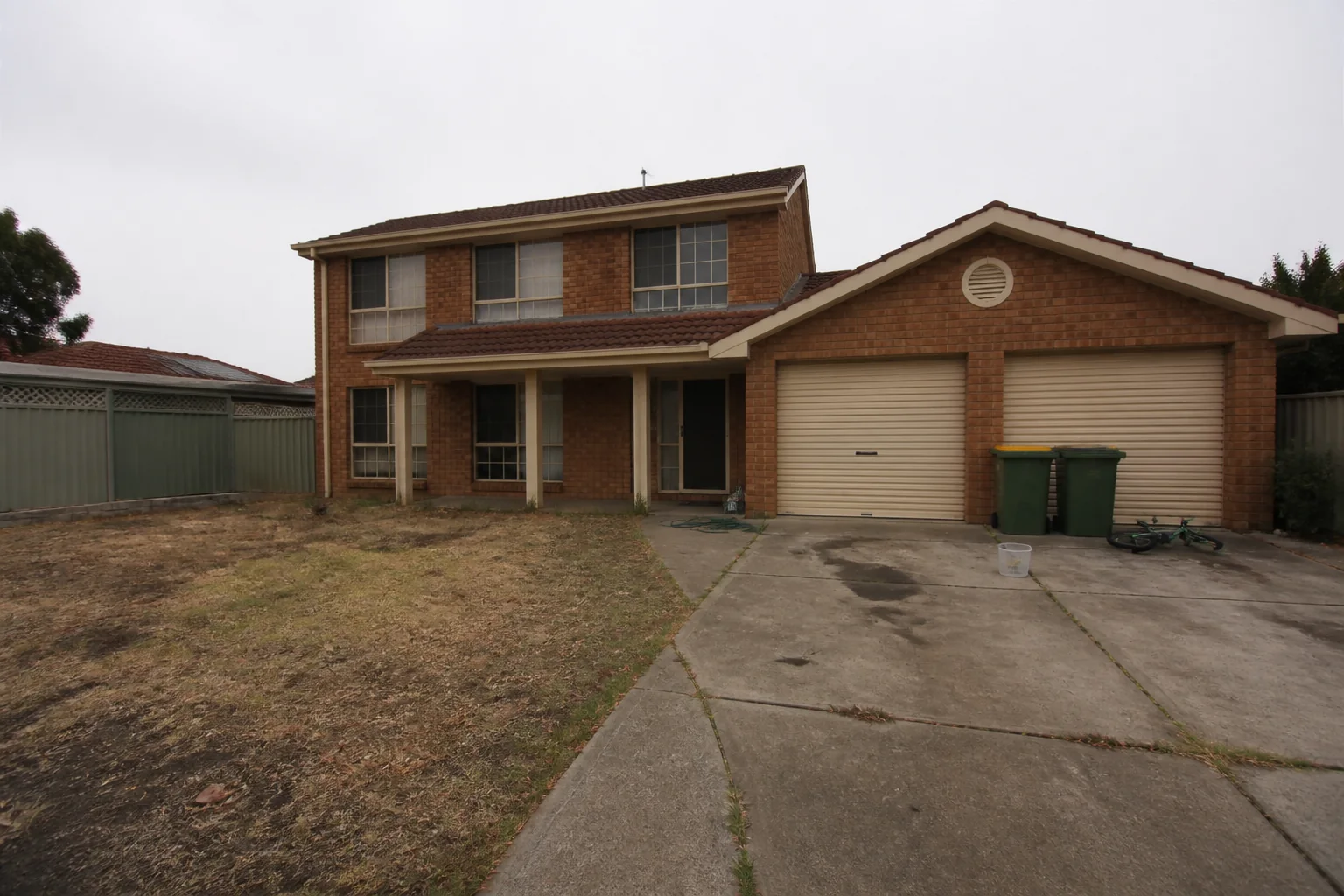
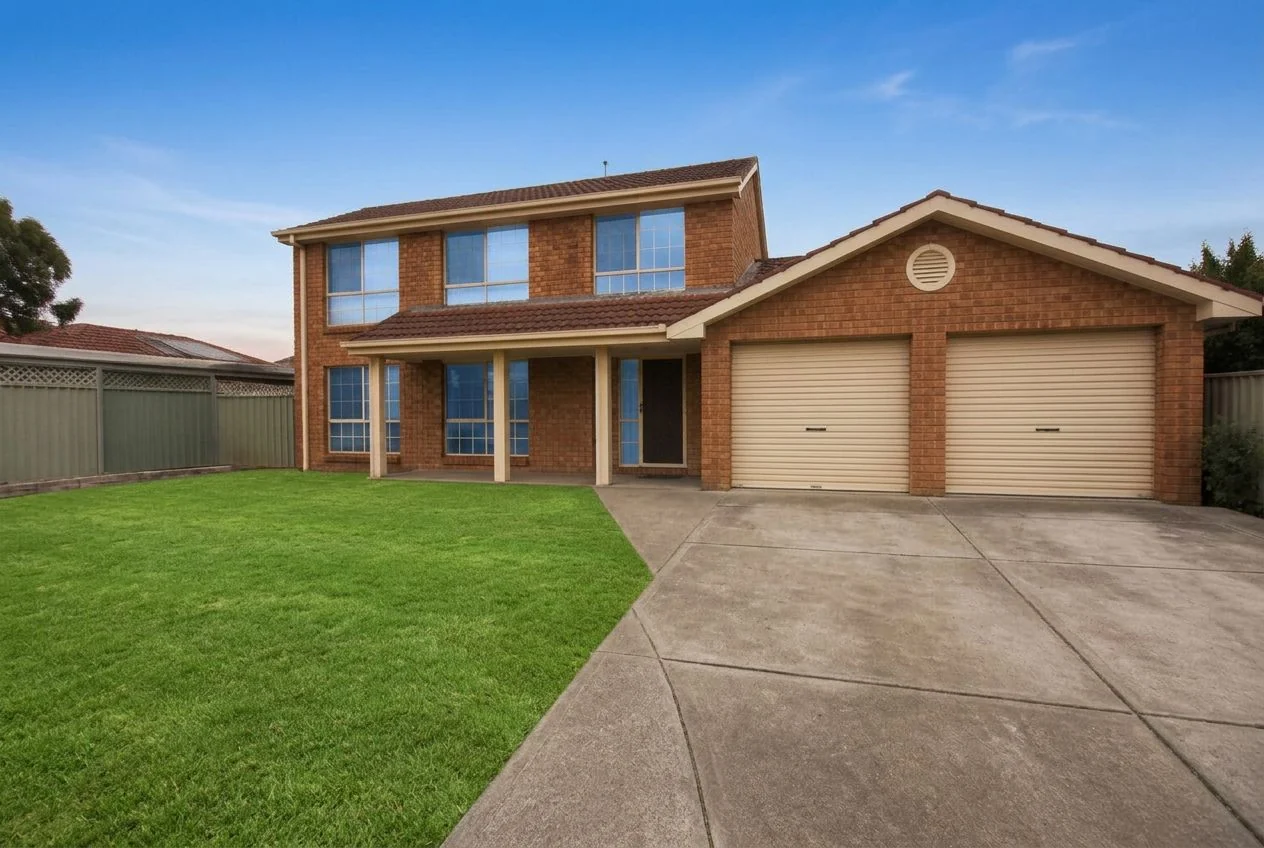 As shotTouched up
Four fixes, only where needed
A natural sky
A grey, white or blown-out sky becomes the blue a photographer would have had on a good day, with the reflections in the windows updated to match. A sky that is already good is left alone.
A healthy lawn
Dead, patchy or brown grass becomes an even green lawn with real texture. The lawn keeps its shape and its edges against the drive and the beds. Nothing that is not grass turns green.
A clean driveway and paths
Oil stains, tyre marks, moss, weeds in the joints, leaves and puddles go. The paving, concrete or gravel keeps its material, colour and pattern. Nothing is repaved.
The clutter, gone
Wheelie bins, hoses, cables, ladders, tools, toys, boxes and a stray car in the drive are removed and the wall or paving behind them continued. Fences, gates, sheds, lamps, planters and the for-sale sign stay.
Four taps. One credit.
- 01
Upload an exterior photo
Any listing exterior: a front, a back garden, a terrace. A photo that is not an exterior is refused before anything is charged.
- 02
Pick Exterior Touch-up
Same photo tool as Stage and Enhance. No prompt to write — the tool looks at the photo and decides what needs fixing.
- 03
Keep the four switches on, or not
Sky, Lawn, Driveway & paths and Clutter are all on. Switch one off to keep that part exactly as shot, for example the sky you like or the car in the drive.
- 04
Generate
One credit, about twenty seconds. The house, its roof, walls, windows, fences and plants come back exactly as shot.
Which photos work best
Works best
- Exteriors with a bit of everything wrong: a grey sky, a tired lawn, a stained drive, bins on show.
- Fronts, back gardens and terraces.
- Photos you want listing-ready in one pass, without picking styles.
Avoid
- Interior photos. They are refused and you are not charged.
- Gardens you want redesigned. Touch-up cleans up; it never adds plants, paving or furniture.
Stays the same
The house, roof, fences, gates, plants and framing come back exactly as shot. Switch off any fix to keep that part too.
Listing exteriors, before the retouch and after
Drag each slider. Every fix is applied only where the photo needed it; the building and the framing stay put.
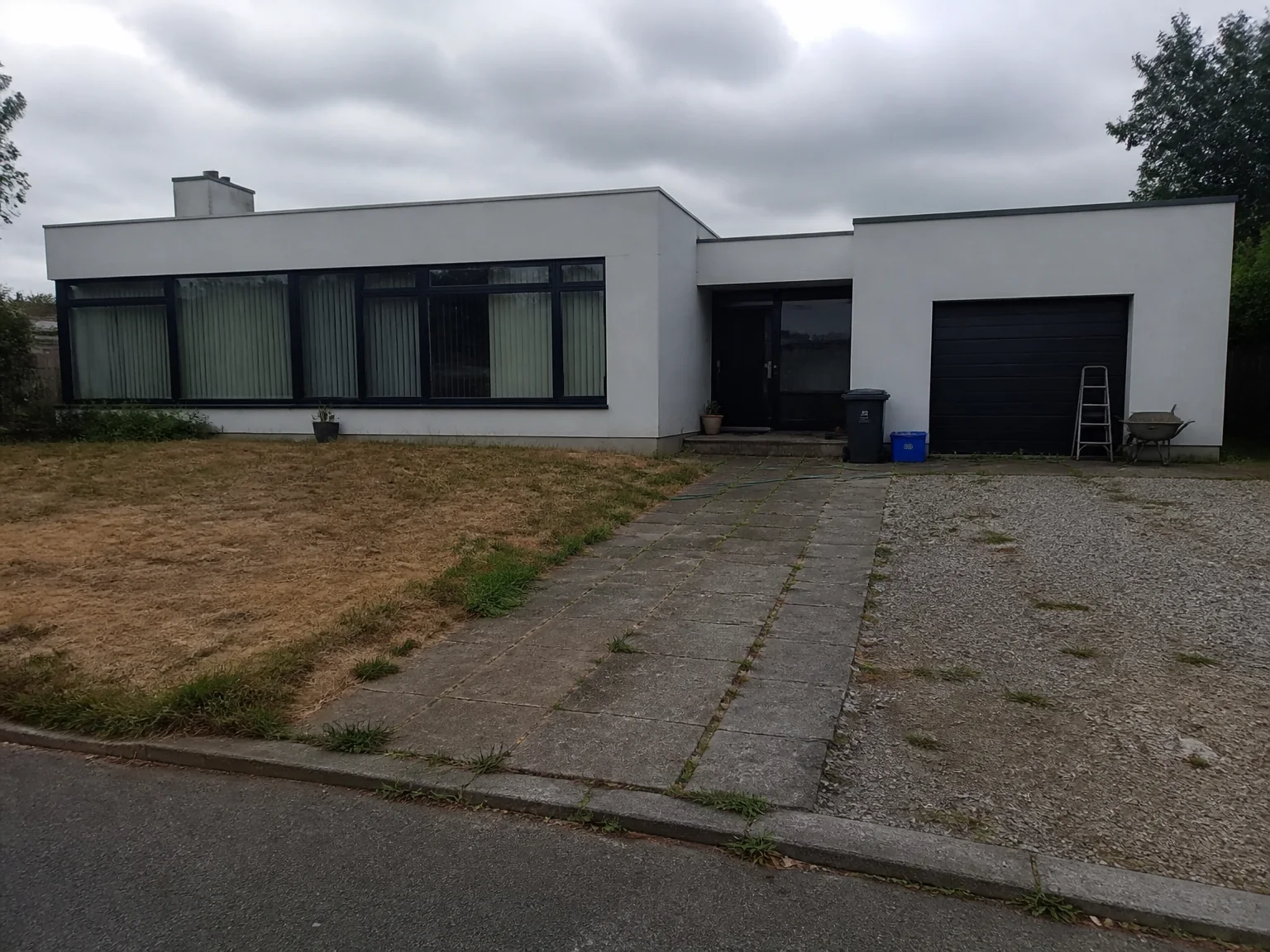
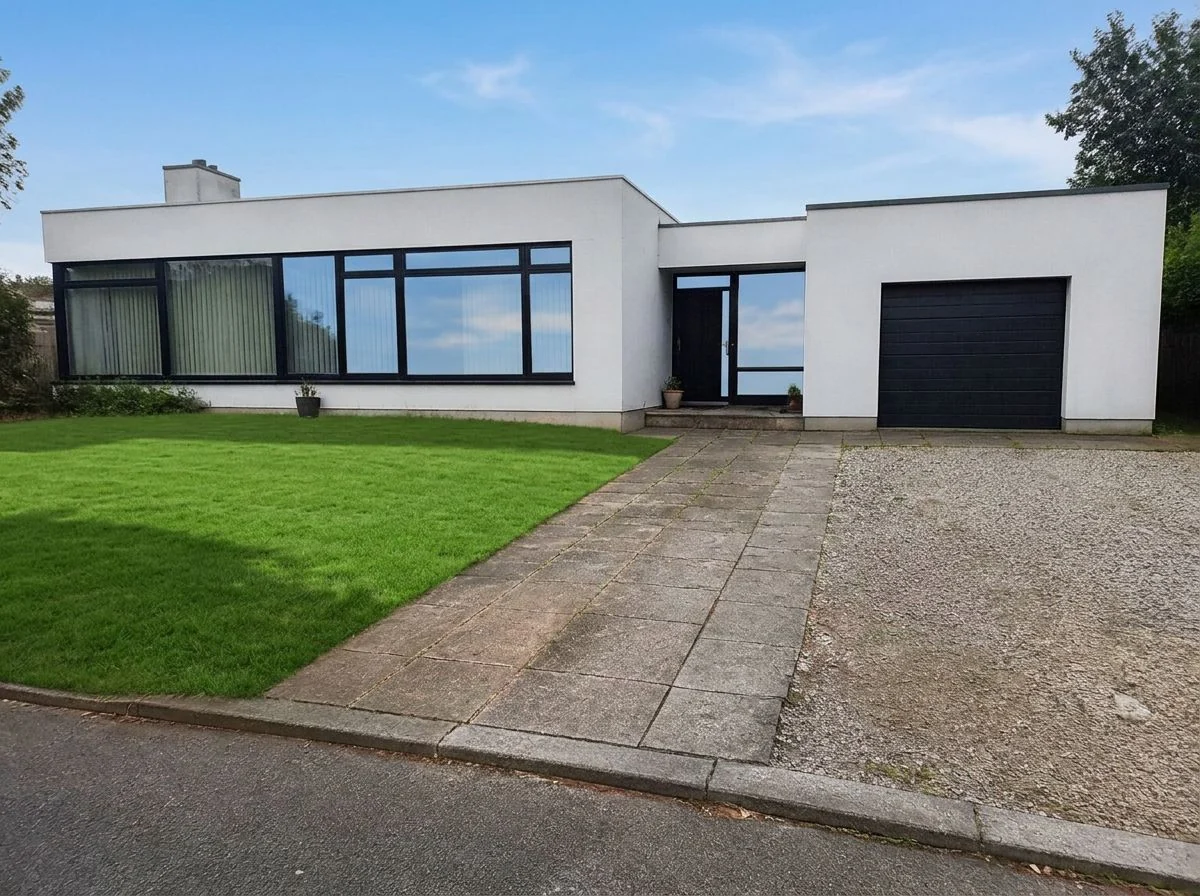 As shotTouched up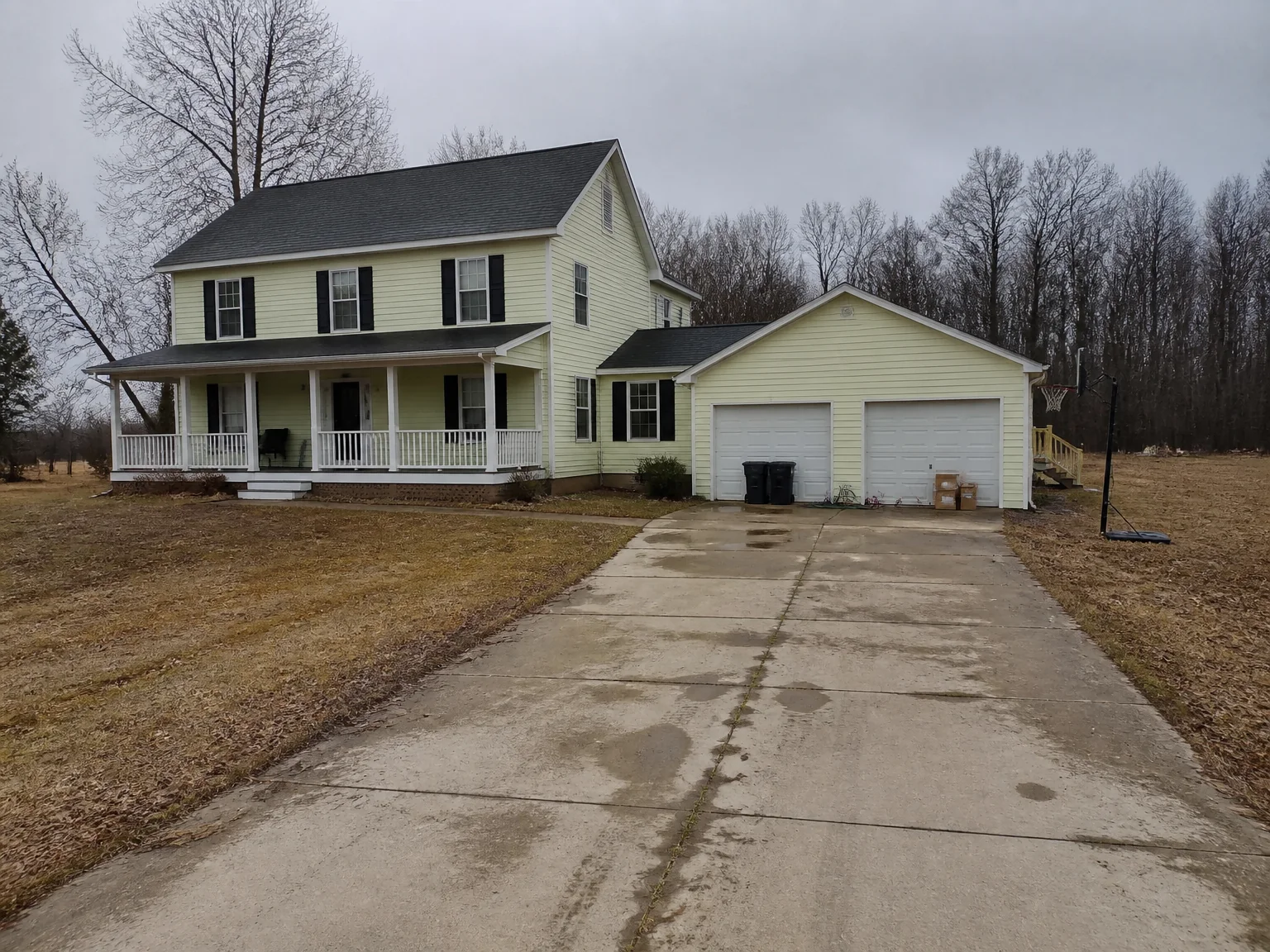
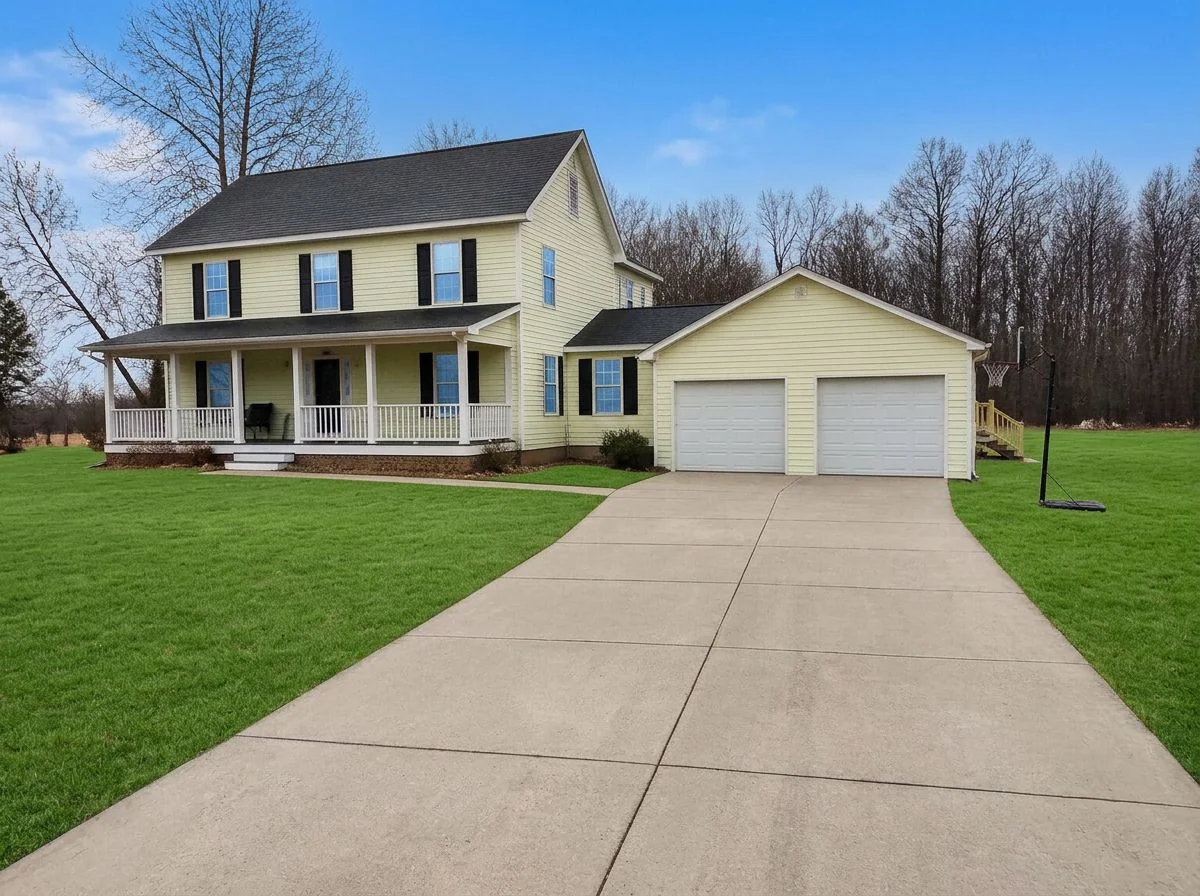 As shotTouched up
Exterior Touch-up FAQ
Related listing tools
When one thing is wrong, or you want a particular look, use the single tools.
Shoot the listing as it is. Touch it up in seconds.
Upload an exterior listing photo. Get it back in about twenty seconds with a natural sky, a healthy lawn, a clean driveway and the clutter gone — the house untouched.