Sky replacement for real estate photos
Turn a grey, overcast or blown-out sky into a natural one in a minute or two. The house, the trees, the lawn and the reflections in the windows stay exactly as shot. Leave it on Auto, or pick a sky and place the sun. 1 credit.
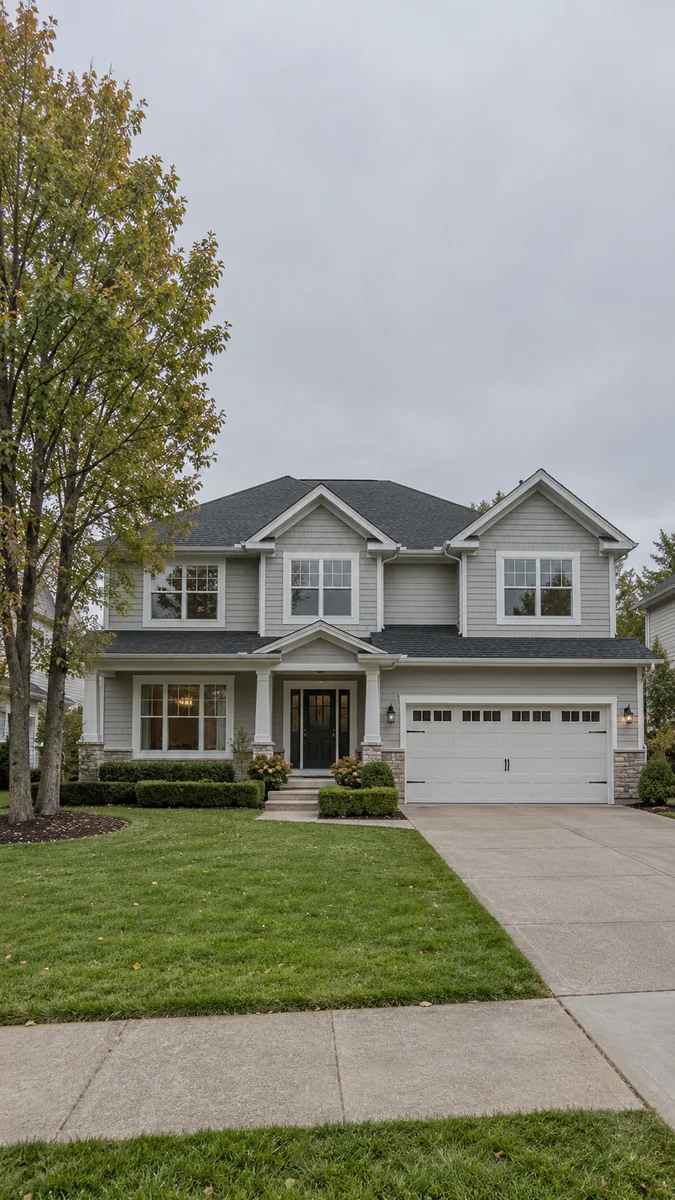
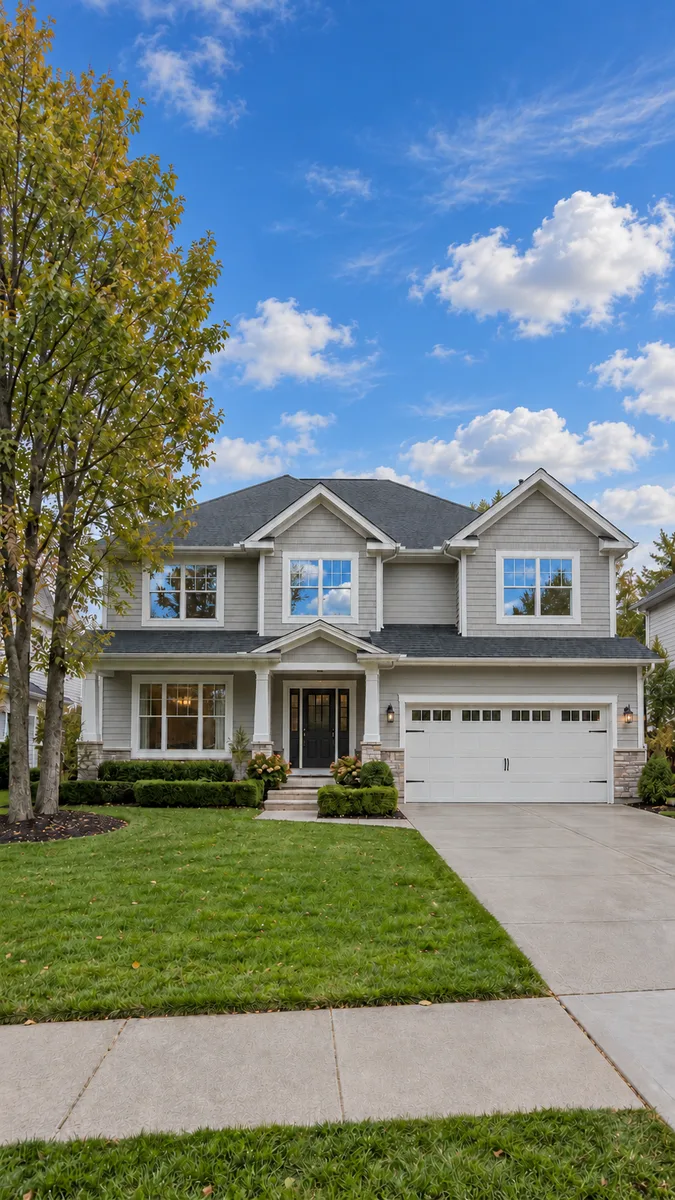 OvercastClear
A new sky, and nothing else
The sky, replaced
Grey, white, hazy or blown-out skies become a natural one with a proper gradient and soft clouds, matched to the light already in the photo.
Reflections that agree
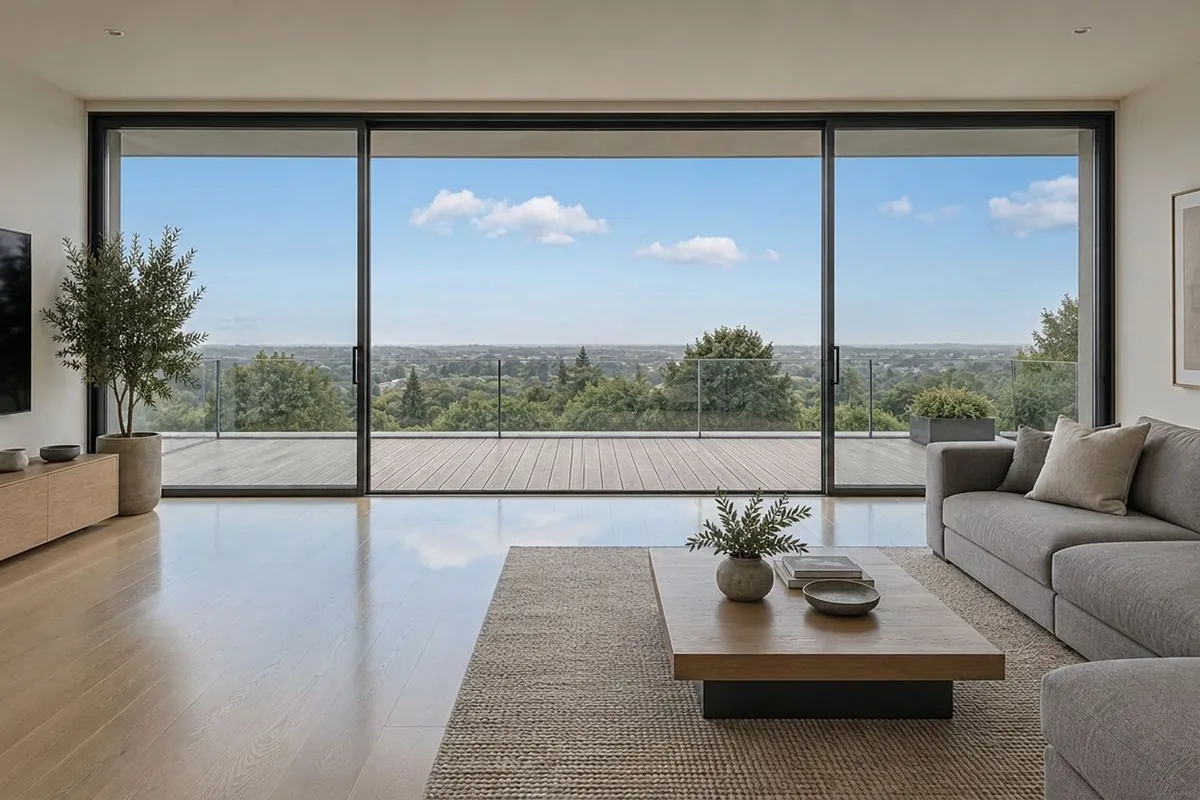
Windows, glass railings, pools and wet driveways reflect the new sky instead of the old grey one. That is the detail a cheap sky swap misses.
Six skies, or Auto
Clear blue, Light clouds, Dramatic clouds, Sunset, Pastel sunrise or Winter clear. Or leave it on Auto and the tool picks what suits the light.
The sun where you want it
Switch the sun on and drag it into place on your photo. It appears the way it naturally would in that sky, and it follows the shadows already on the house.
Four taps. One credit.
- 01
Upload an exterior photo
Any listing exterior with the sky in view. A photo with no sky is refused before anything is charged.
- 02
Pick Sky Replacement
Same photo tool as Stage and Enhance. No prompt to write — the mode is the instruction.
- 03
Choose a sky, or don't
Auto is preselected. Pick one of six skies if you have a look in mind, and place the sun if you want it visible.
- 04
Generate
One credit, a minute or two. Then run Day to Dusk on the same photo for the evening version.
Which photos work best
Works best
- Exterior shots with at least a strip of sky at the top of the frame.
- Grey, white or blown-out skies. The duller the sky, the bigger the difference.
- Interiors with a view through windows or glass doors work too.
Avoid
- Photos with no sky anywhere. They are refused and you are not charged.
- Dusk or night shots. For evening light, use Day to Dusk.
Stays the same
The house, roof, lawn and camera angle keep their exposure and colour. Only the sky and its reflections change.
One photo, one click, a sky if you want one
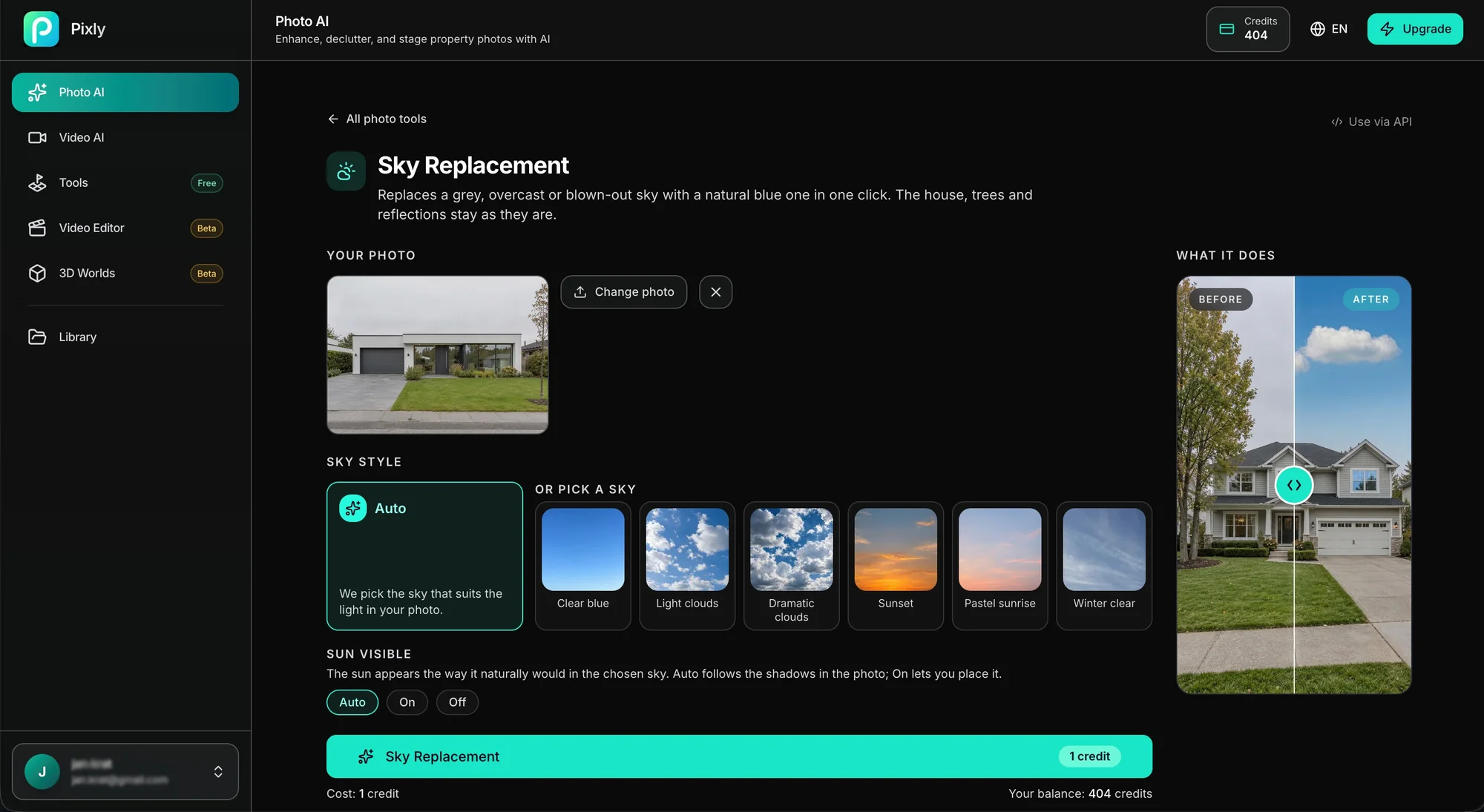
This is the Sky Replacement page in Pixly. Add the photo, leave Auto on or pick one of six skies, choose whether the sun is visible, and generate. The result lands in your library next to the original.
Grey sky in, real sky out
Drag each slider. The building, the trees and the ground stay put — only the sky and its reflections change.
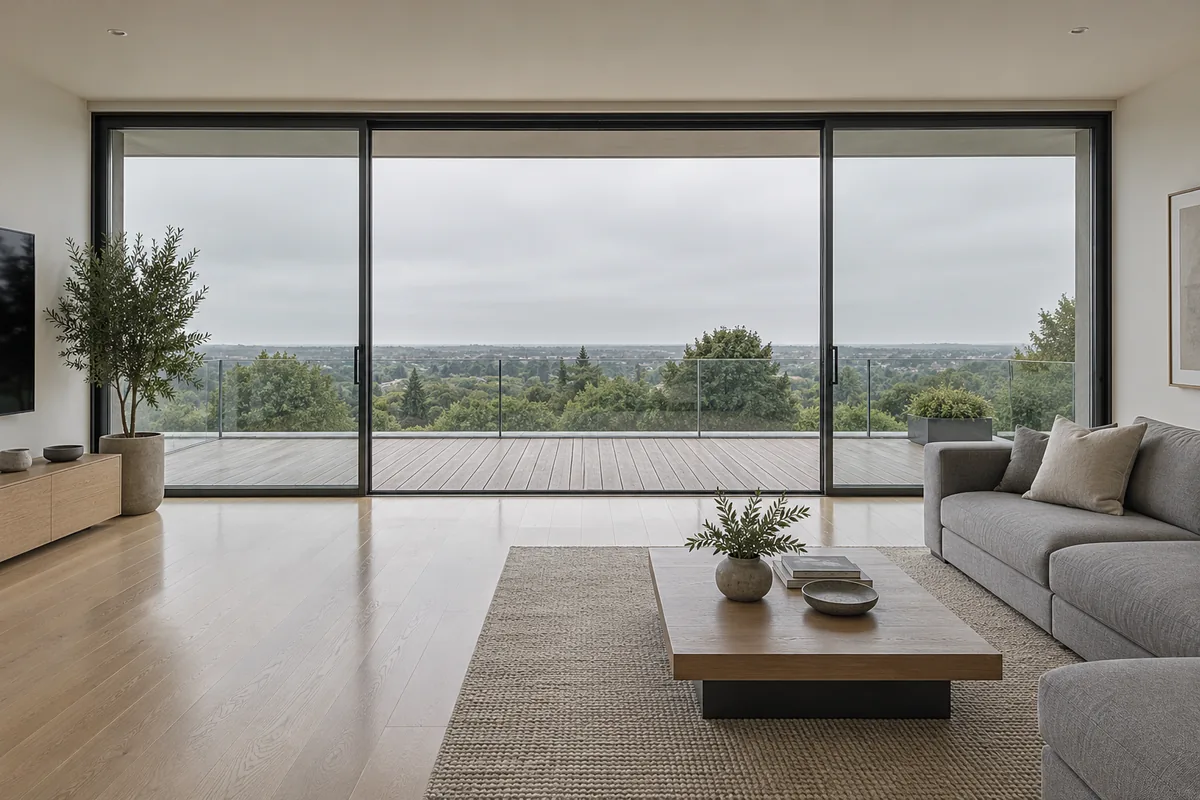
 OvercastClear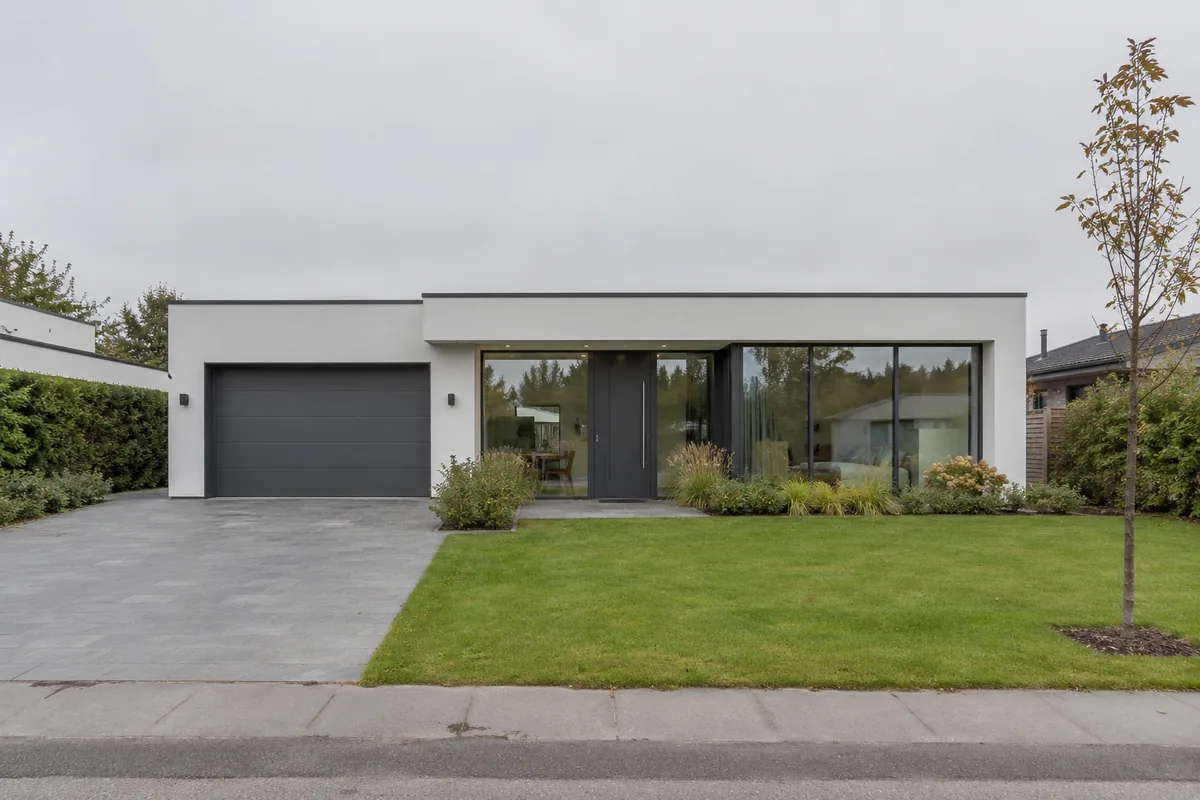
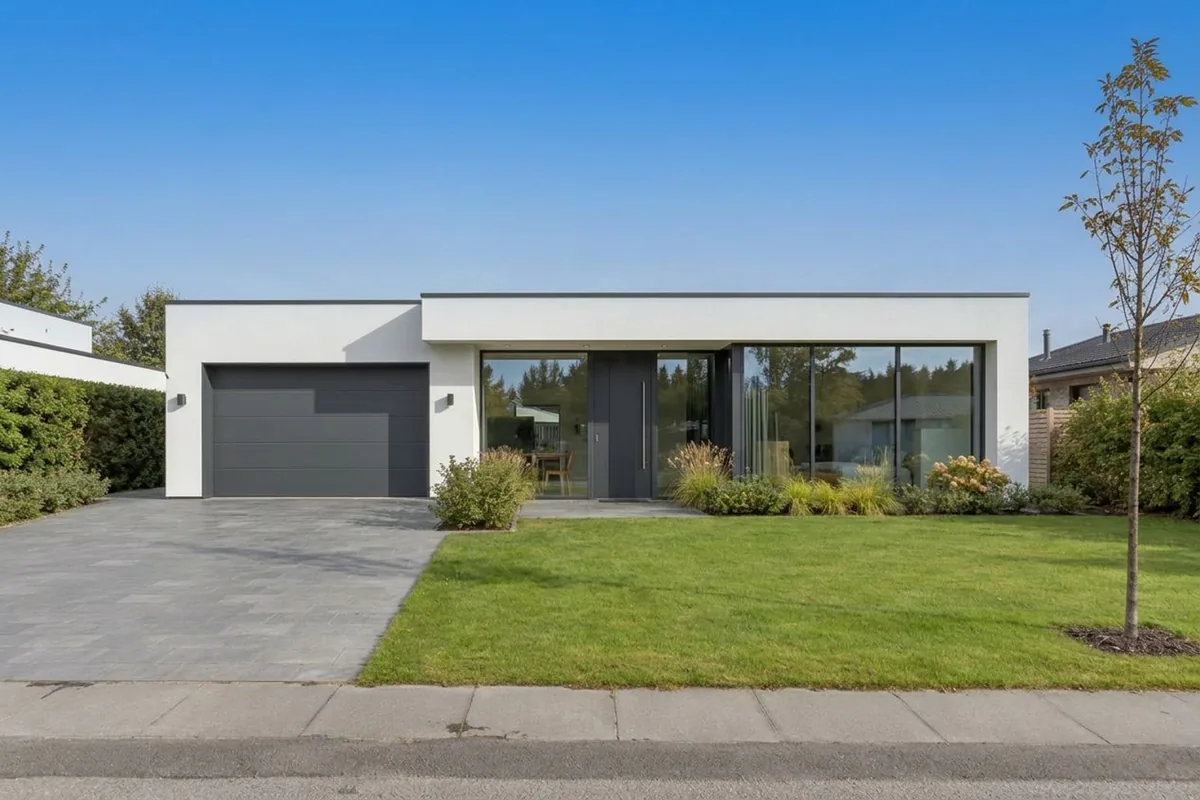 OvercastClear
Sky Replacement FAQ
Related listing tools
Sky replacement is one edit. Relight the same exterior for evening, grade the daylight shot, or tidy the rooms inside.
Shoot on the grey day. Fix the sky in one click.
Upload an exterior listing photo. Get a natural sky back in a minute or two — house, trees and reflections untouched.