Higgsfield for Real Estate: What Works and What Doesn't
Which Higgsfield camera presets suit listing photos, where the workflow costs you time, and when a purpose-built listing tool is faster.
Higgsfield is one of the strongest cinematic AI video tools available, and agents have noticed. Its Cinema Studio simulates real camera and lens physics across more than 100 motion presets, and its drone and orbit shots look genuinely expensive. So the obvious question: can you point it at a listing photo and get a property video out? Yes — with caveats that are worth knowing before you spend a month of credits finding them yourself.
Short version: Higgsfield handles the camera beautifully. What it does not handle is the rest of the listing job — it films the photo exactly as you supply it, and every clip needs a written shot prompt.
What Higgsfield does well on property
The camera work is the point, and it delivers. Three things in particular translate well to real estate:
- Drone and aerial presets — exterior and rooftop shots look close to footage a pilot would charge you for
- Orbit and push-in moves — these read as "property video" to a viewer, because they are the moves listing videographers actually use
- Model choice — a single subscription reaches Sora 2, Veo 3.1 and Kling 3.0, so if one model handles your photo badly, another may not
If you are producing one hero video for a flagship listing and you want authored, frame-by-frame control over the shot, this is a good tool for the job.
Where it costs you time on listings
The friction is not quality. It is that Higgsfield is built for creators making one considered piece, and listing work is the opposite shape: many photos, low time budget each.
- Every clip needs a shot prompt. Preset plus wording plus model is three decisions per photo, and the wording genuinely changes the result.
- It films what you give it. An empty room stays empty; a cluttered one stays cluttered. Moving a camera through an unstaged room produces a well-shot video of an unstaged room.
- Output is general-purpose. You crop and resize for the listing feed, Instagram or TikTok yourself.
- Credits do not roll over. Subscription credits reset each month, which stings when listing volume is uneven.
Which camera moves actually suit property
Most cinematic presets are built for narrative film, and a good number of them actively hurt a listing — a crash zoom or a Snorricam says thriller, not three-bedroom semi. These are the moves worth using, whichever tool you generate them in:
| Move | What it does | Best for |
|---|---|---|
| Push in | Camera advances slowly into the room | Living rooms and kitchens — the standard opener |
| Orbit | Camera arcs around a subject | A feature: an island, a fireplace, a bathtub |
| Pan | Camera pivots left or right in place | Wide rooms a single frame cannot hold |
| Fly-through | Camera travels through the space | Connected layouts, open plan |
| Crane up | Camera rises while facing the subject | Tall ceilings, stairwells, double-height rooms |
| Drone orbit | Wide circling exterior | The property in its plot — the classic closer |
| Pull back | Camera retreats to reveal context | Showing how a room sits in the wider space |
Here is what six of them actually look like. Every clip below was generated from the same reference interior, so the only thing changing between them is the camera.
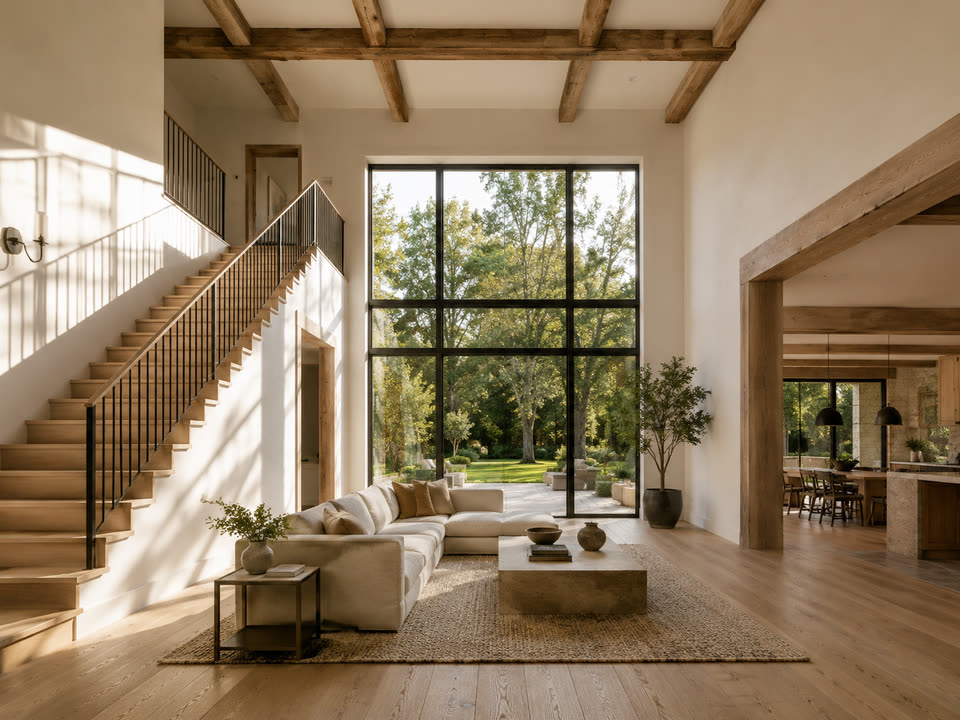






Drone Orbit is not shown above because it is an exterior move and starts from a different reference photo — including it would quietly break the one-photo comparison.
A practical rule: one move per clip, and let the move match what the room is selling. If the kitchen island is the reason someone buys the house, orbit the island. Do not orbit a corridor.
Fix the room before you move the camera
This is the single biggest mistake in AI listing video, and it is not a Higgsfield problem specifically — it applies to every general video model. Video generation animates the photo you supply. It does not furnish, tidy or relight the room.
So the order matters. Stage the empty room, declutter the lived-in one, or enhance a dim photo first, and only then apply the camera move. A cinematic orbit around an empty beige room is still an empty beige room, rendered at higher production value.
If you take one thing from this guide: staging is an image problem and motion is a video problem, and doing them in the wrong order wastes both.
When a purpose-built listing tool is faster
The trade is straightforward. A general cinematic tool gives you more control and asks for more craft per clip. A listing tool gives you fewer choices and asks for almost nothing. Which is better depends entirely on how many properties you are shooting this month.
Pixly sits on the listing-tool side: you upload a photo, pick a named camera move, and get a clip sized for the feed — no shot prompt, no preset to get right. It can also stage, declutter or enhance the same photo first, on the same credit balance, which is the ordering problem above solved in one place. On raw camera range, Higgsfield is deeper; for one clip per listing without opening a creative tool, that depth is not what you are buying. If you want the feature and pricing detail side by side, there is a full Pixly vs Higgsfield comparison.
The bottom line
Higgsfield is an excellent cinematic video tool that happens to work on property photos, not a real estate tool. If video is your craft, or you are making a hero piece for a flagship listing, its camera control is worth the learning curve. If you need a reliable clip per listing every week, the prompt-writing, cropping and monthly credit reset are a recurring tax — and that is the point at which a purpose-built tool wins on time rather than on quality.