How to make a daytime photo look like night
Open Day-to-Night in Pixly, add a daytime photo and click Day-to-Night. About half a minute later you have the same photo at night: lights on inside, a dusk sky, the house unchanged. It costs 1 credit, and the same photo can become a day-to-night reel.

These are the real Day-to-Night screens. Click a step to jump to it.
- 4 steps
- About a minute
- 1 credit per photo
The four steps
- 01
Open Day-to-Night
In Pixly, go to Photo AI and pick Day-to-Night under Exterior. It is a one-click tool: no prompt to write, no settings to get wrong.
- 02
Add a daytime photo
Upload a photo, drag it onto the page, paste it, or choose one you already have in your library. A front exterior shot in daylight works best.
- 03
Click Day-to-Night
The button shows the price: 1 credit. Pixly relights the photo — interior lights on, a dusk sky, outdoor lighting. It usually takes 20–40 seconds.
- 04
Compare and save
Your night shot opens next to the original. Switch between Original and Result, then save it, open it in the editor, or upscale it to HD for free.
All four steps on one page
Save it, print it or send it to your team.

Turn the same photo into a day-to-night reel
In Video AI, pick Day-to-Night and choose the night photo you just made. Pixly puts its day photo in Start and the night photo in End, then animates the change — the night photo isn't made or charged again. A 5-second reel costs 5 credits with the recommended model.
Make a reel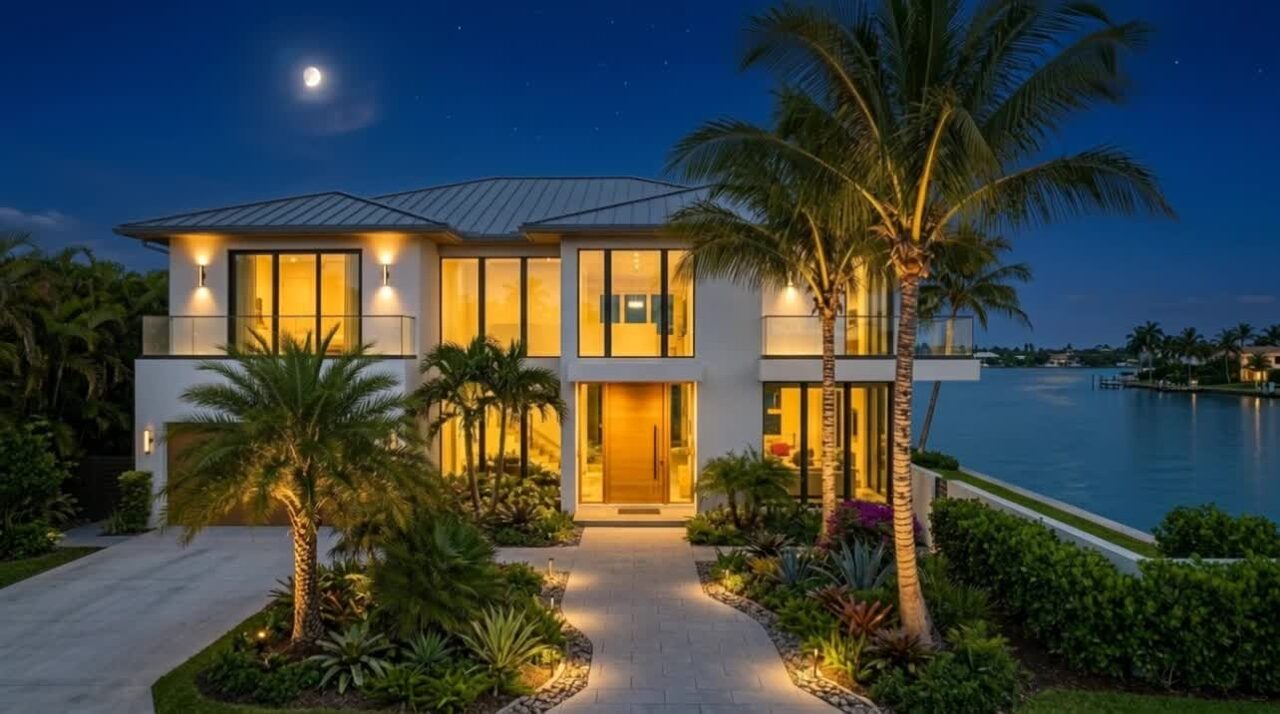
Photos that work best
- A front exterior in daylight, with the house filling most of the frame.
- Windows you can see — that is where the warm light shows.
- Some sky in the shot, so the dusk colour has somewhere to go.
- A sharp, level photo. Blur and tilt stay in the result.
What to avoid
- Photos already taken at dusk or at night: there is nothing to relight.
- Close-ups of a door or a wall, with no windows or sky.
- Interiors without a window: the sky cannot change if it is not in the photo.