Change the wall colour in a photo
Upload a room photo and see the walls in a new colour in seconds — twelve paint shades, six wall materials, or the colour in your own words. The trim, ceiling, floor, furniture and camera angle stay exactly as shot. 1 credit a photo.
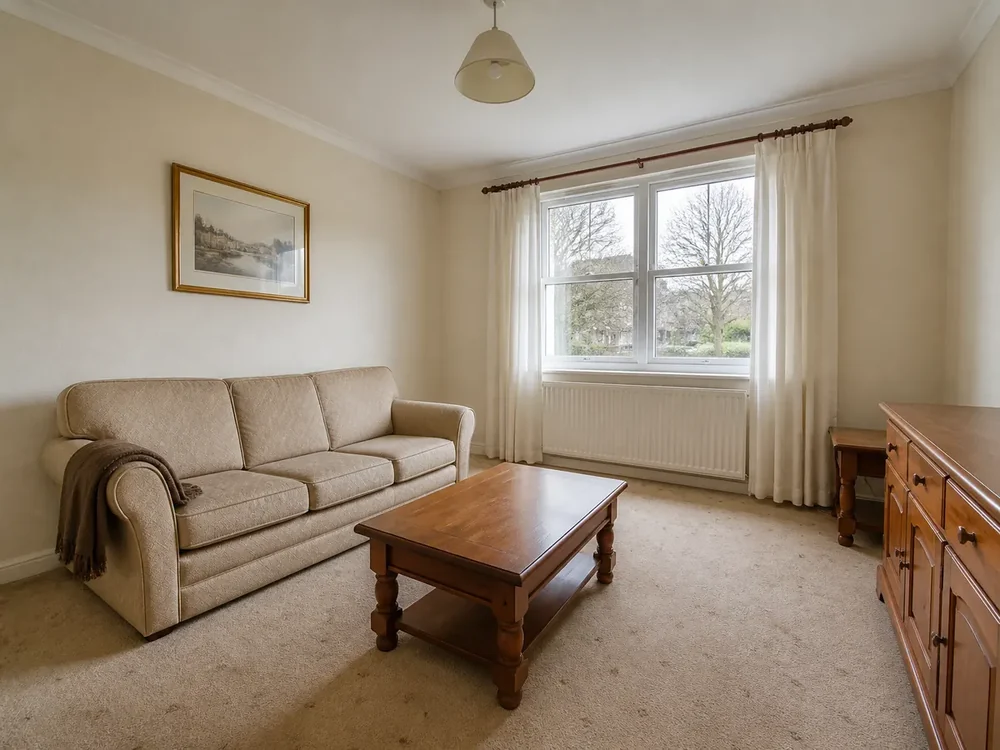
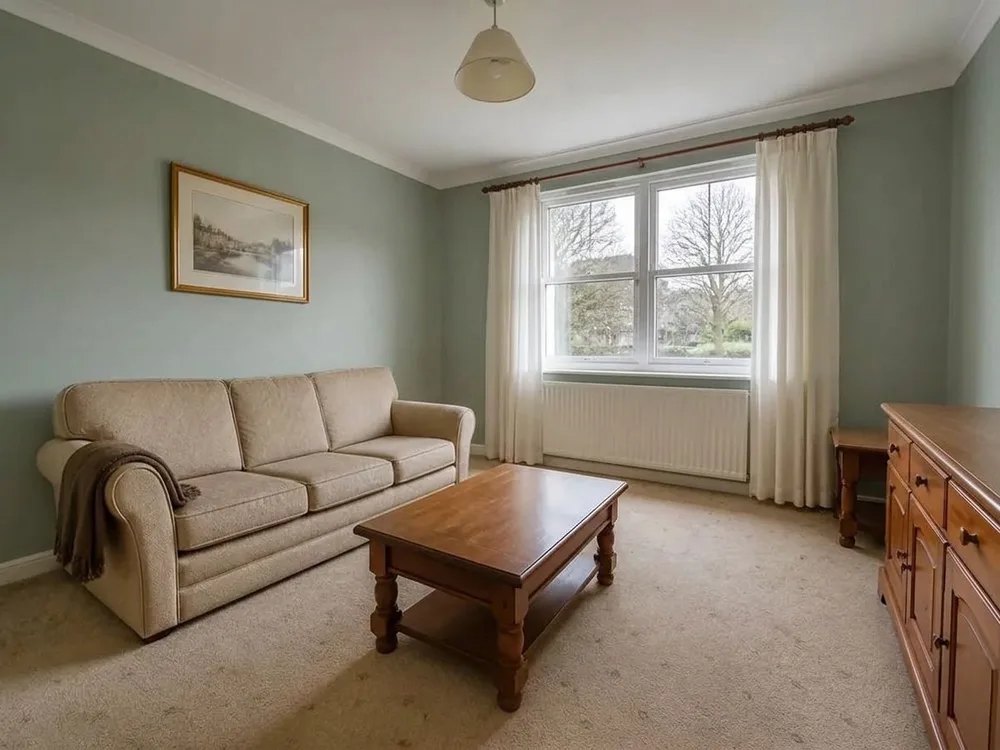 BeforeRestyled
Every way to say what colour
Twelve paint shades
Warm white, crisp white, soft grey, greige, warm beige, clay pink, sage, soft blue, olive green, graphite, deep navy and terracotta — each described to the model as a paint finish, not a colour filter laid over the photo.
Or your own colour
Type the colour you want — "a soft clay pink, warm not dusty" — and that is what comes back. No swatch to hunt through, no prompt to write.
Six wall materials
Panelling, textured wallpaper, limewash, microcement, exposed brick and timber slats, for the rooms where paint is not the answer.
Only the walls
Ceiling, skirting, window and door frames, floor, furniture and the daylight all stay as shot. The room is still the room — repainted.
Three steps, a few seconds
- 01
Upload the photo
Any room photo, including the one from the listing shoot. Walls are already selected when the tool opens.
- 02
Pick a colour
Choose one of the twelve shades, a wall material, or describe the colour in your own words. Auto picks a shade that suits the room.
- 03
Download it
One credit, a few seconds, and the result downloads at full size without a watermark.
Which photos work best
Works best
- Furnished or empty interiors where the walls are clearly visible and lit.
- Rooms with dated or heavy paint — magnolia, strong feature colours, tired white.
- Straight-on photos: the flatter the wall in frame, the cleaner the repaint.
Avoid
- Exterior photos. They are refused and you are not charged; for the outside, use Exterior Touch-up.
- Photos where furniture or curtains hide almost every wall — there is little left to repaint.
Stays the same
The ceiling, skirting, frames, floor, furniture, window view and camera angle stay. Only the walls change.
One room, four colours
The same living room, four separate runs, walls only. Nothing else in the photo was asked to change — and nothing else did.
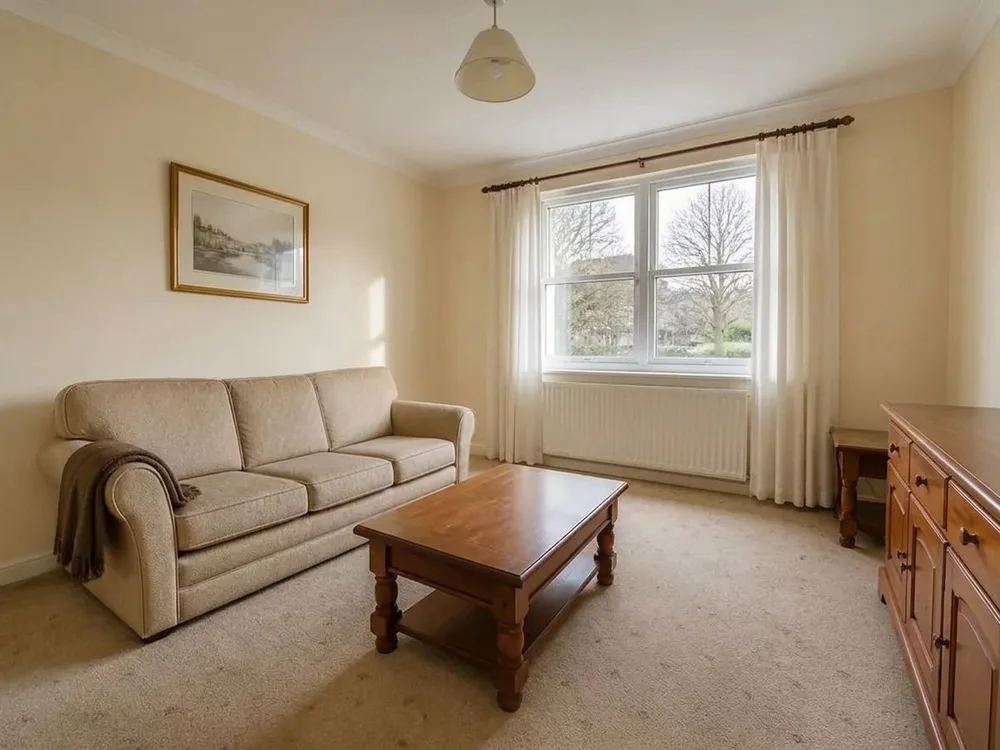 BeforeRestyled
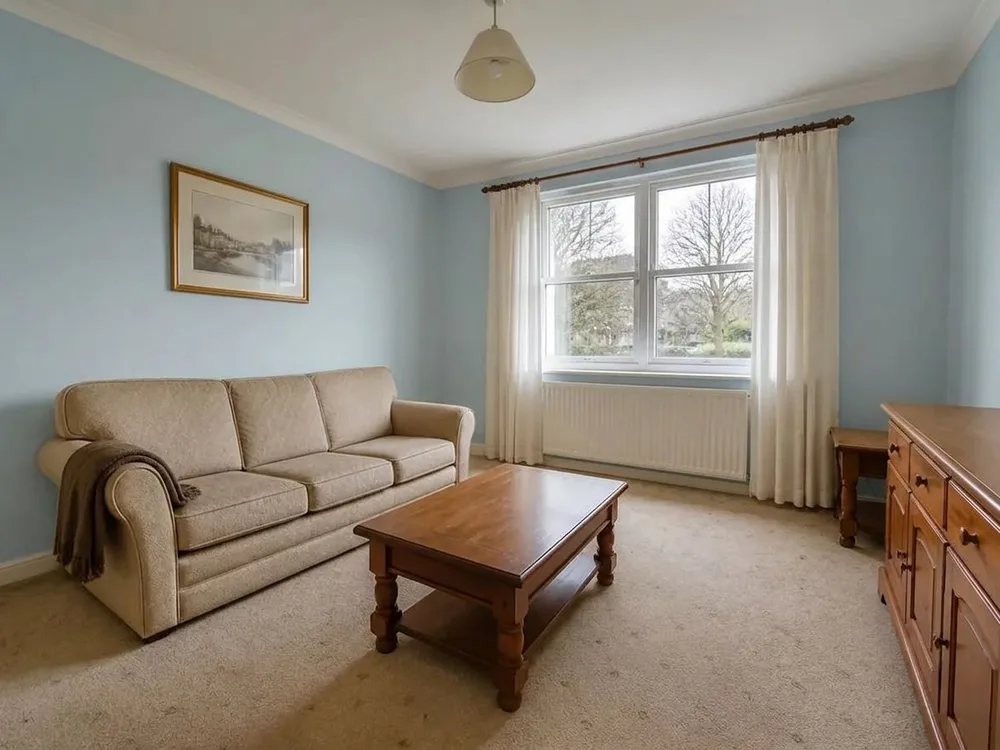 BeforeRestyled
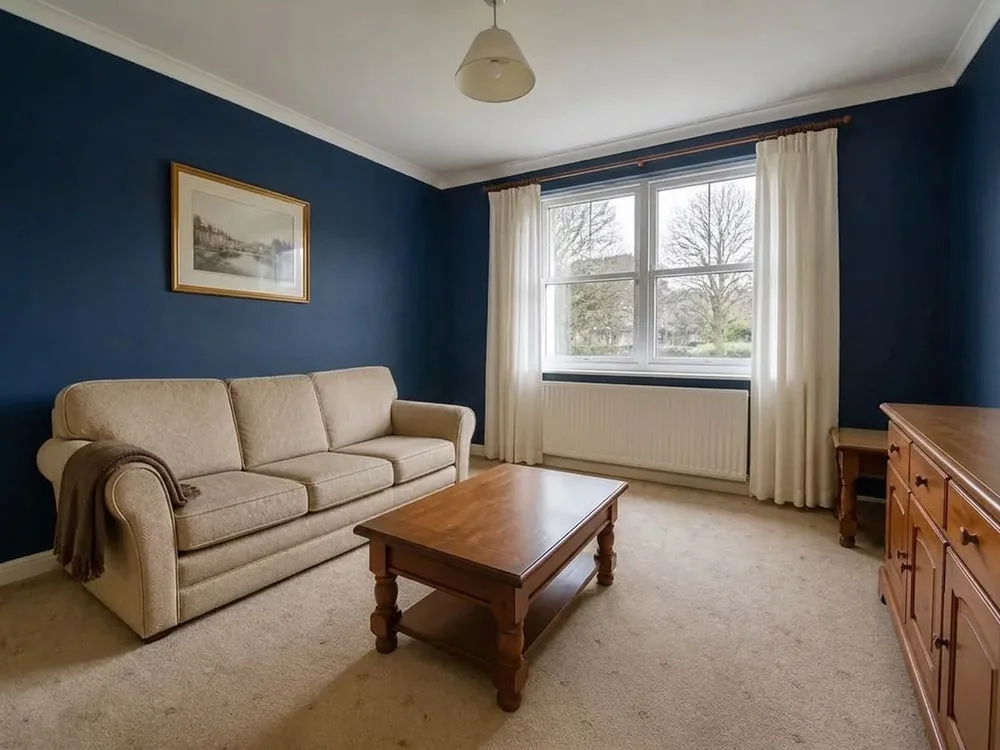 BeforeRestyled
Wall colour FAQ
Do more with the same photo
Wall colour is one surface. The same photo can carry a full restyle, a staged room or a cleaner exposure.
See the room in a new colour
Upload one photo, pick a shade, and show the room as it could look. 1 credit a photo.